软件名称:d-disk-1.7
软件分类:应用软件
软件类别:桌面程序
版本号:1.7
d-disk-1.7软件介绍

引用:
更新升级至1.7版本,优化区块显示,更新软件图标,增加清理系统占用的文件选项,可删除清理回收站、任务计划日志、异常邮件文件、系统、网站访问日志、MySQL日志、临时文件等7项。桌面应用程序,查看服务器磁盘使用情况,包括各个磁盘挂载点,使用容量等状态。
[/alert]发布时间:2022-07-21

软件名称:d-disk-1.7
软件分类:应用软件
软件类别:桌面程序
版本号:1.7
d-disk-1.7软件介绍

引用:
更新升级至1.7版本,优化区块显示,更新软件图标,增加清理系统占用的文件选项,可删除清理回收站、任务计划日志、异常邮件文件、系统、网站访问日志、MySQL日志、临时文件等7项。桌面应用程序,查看服务器磁盘使用情况,包括各个磁盘挂载点,使用容量等状态。
[/alert]发布时间:2022-07-21

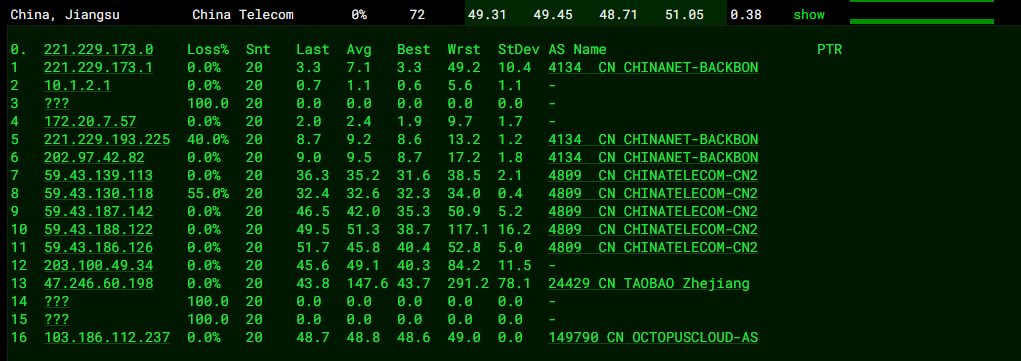
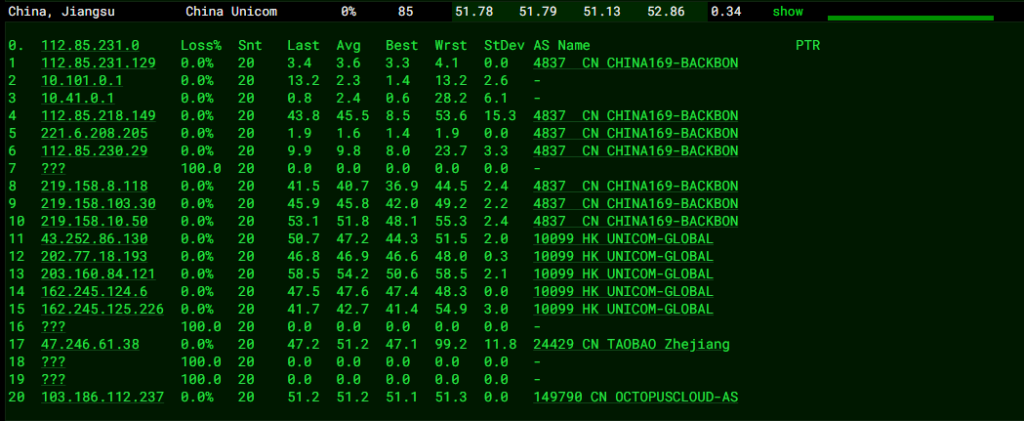
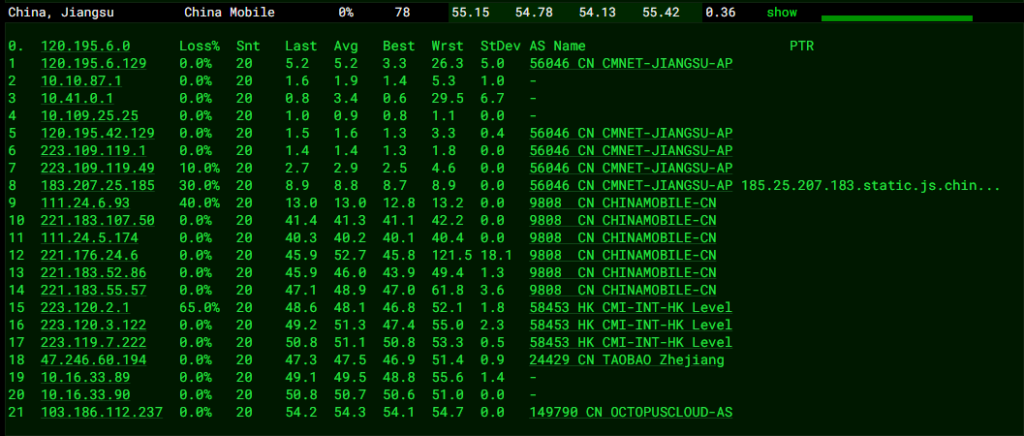
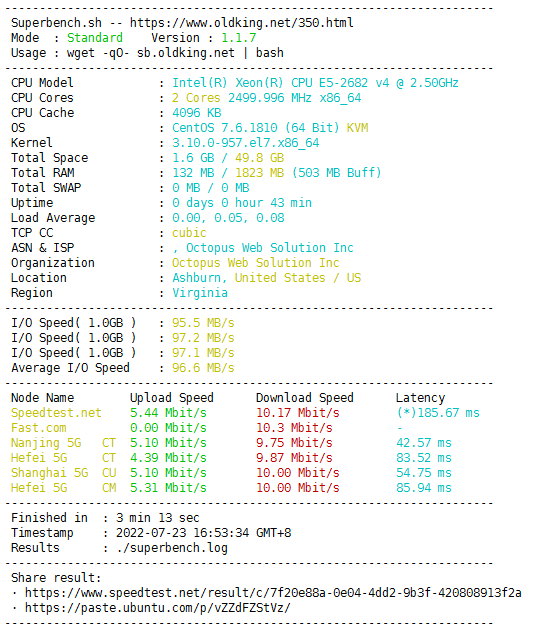
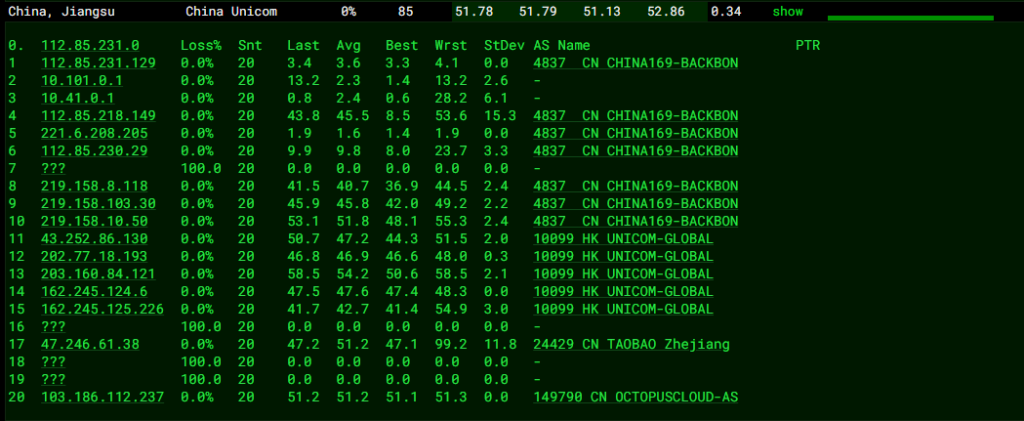
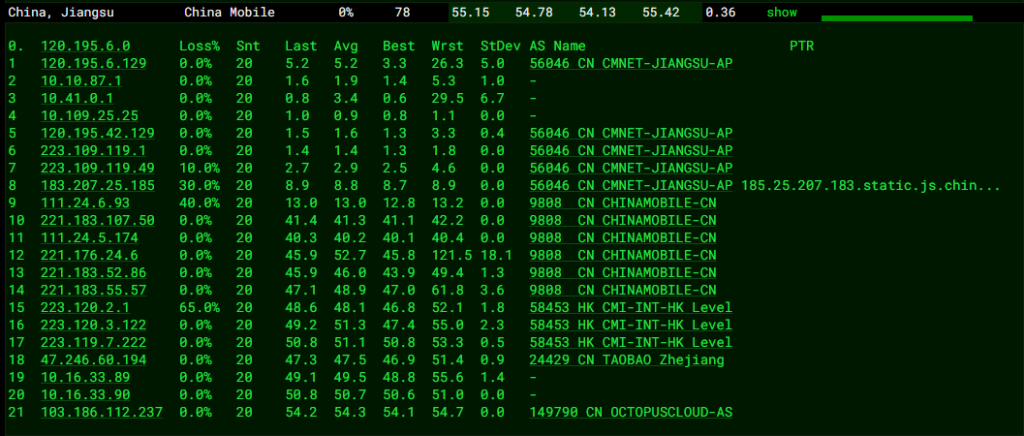
棉花云,是江西 乐网网络科技有限公司 旗下扬风互联的IDC品牌,主营中国大陆、中国香港、美国、日本、韩国等地骨干级机房优质资源,BGP国际多线网络,三网直连,CN2 GIA高速回国,以稳定的网络质量吸引众多开发者和企业选择。

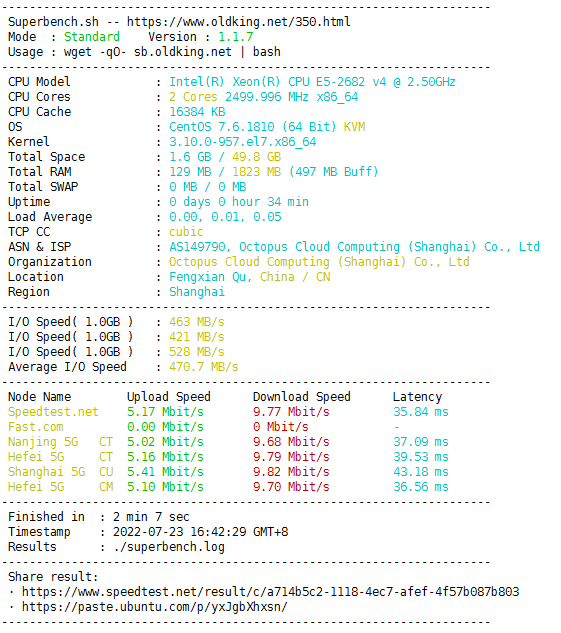
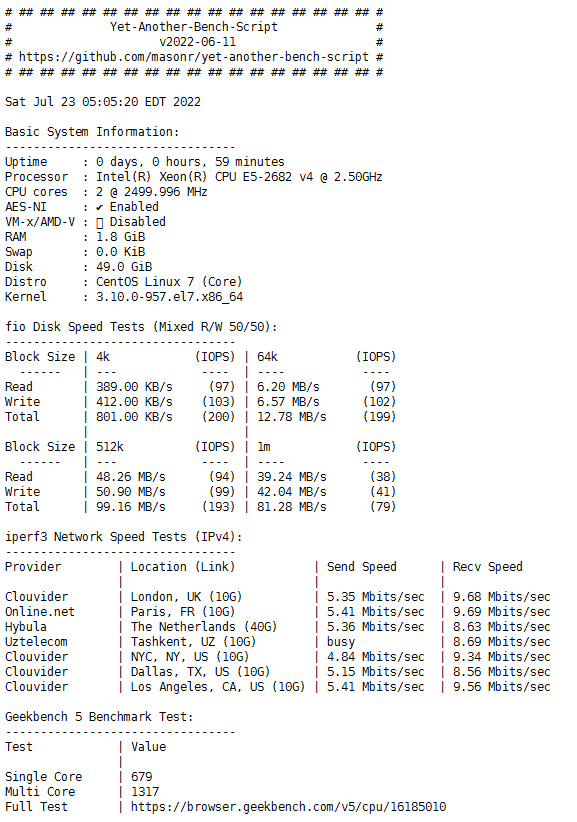
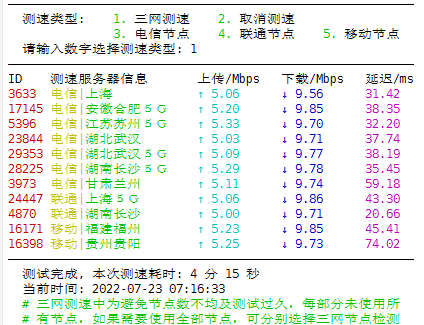
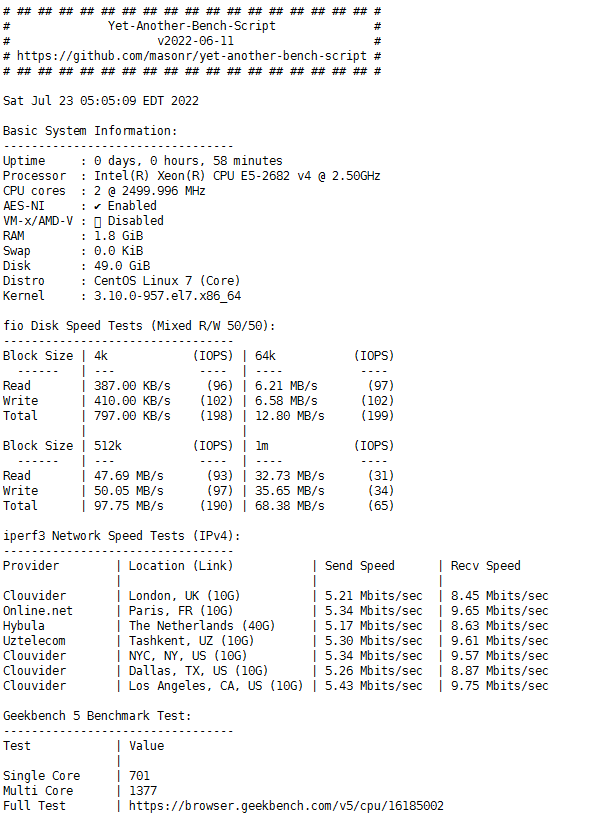
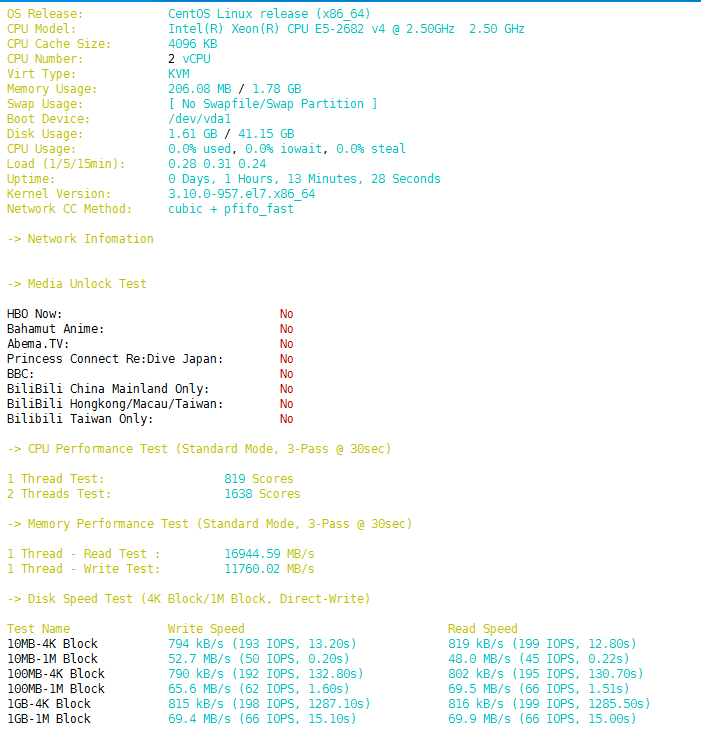
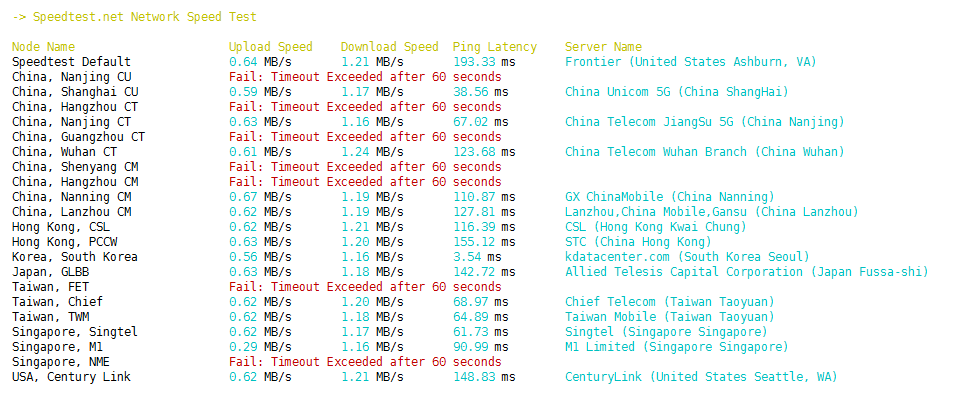
CPU为E5-2682 v4,硬盘IO表现不错,机子给的5M也能跑满,带宽为独享,可长期占用


Traceroute to China, Beijing Dr.Peng Network IDC Network (TCP Mode, Max 30 Hop)
============================================================
traceroute to 211.167.230.100 (211.167.230.100), 30 hops max, 32 byte packets
1 103.186.112.1 0.41 ms AS149790 China, Hong Kong
2 *
3 *
4 47.246.61.21 4.89 ms AS24429 China, Hong Kong, ALIYUN
5 61.14.203.37 5.59 ms * China, Hong Kong, ChinaUnicom
6 162.245.124.9 5.29 ms AS10099 China, Hong Kong, ChinaUnicom
7 202.77.23.25 6.43 ms AS10099 China, Hong Kong, ChinaUnicom
8 219.158.10.49 10.61 ms AS4837 China, Guangdong, Guangzhou, ChinaUnicom
9 219.158.111.213 49.50 ms AS4837 China, Beijing, ChinaUnicom
10 219.158.9.214 44.28 ms AS4837 China, Beijing, ChinaUnicom
11 *
12 *
13 61.148.153.238 45.71 ms AS4808 China, Beijing, ChinaUnicom
14 61.149.212.242 47.82 ms AS4808 China, Beijing, ChinaUnicom
15 202.99.1.126 49.19 ms AS4808 China, Beijing, ChinaUnicom
16 124.205.97.138 43.34 ms AS4808 China, Beijing, DRPENG
17 218.241.253.130 80.71 ms AS4808 China, Beijing, DRPENG
18 211.167.230.100 49.46 ms AS17964 China, Beijing, DRPENG
Traceroute to China, Beijing CERNET (TCP Mode, Max 30 Hop)
============================================================
traceroute to 202.205.109.205 (202.205.109.205), 30 hops max, 32 byte packets
1 103.186.112.1 0.52 ms AS149790 China, Hong Kong
2 *
3 *
4 47.246.61.37 5.48 ms AS24429 China, Hong Kong, ALIYUN
5 61.14.203.37 5.62 ms * China, Hong Kong, ChinaUnicom
6 202.77.18.194 13.35 ms AS10099 China, Hong Kong, ChinaUnicom
7 202.77.23.25 12.08 ms AS10099 China, Hong Kong, ChinaUnicom
8 219.158.20.97 13.99 ms AS4837 China, Hong Kong, ChinaUnicom
9 219.158.103.29 22.73 ms AS4837 China, Guangdong, Guangzhou, ChinaUnicom
10 219.158.8.117 23.03 ms AS4837 China, Guangdong, Guangzhou, ChinaUnicom
11 219.158.6.233 45.02 ms AS4837 China, Shanghai, ChinaUnicom
12 219.158.113.198 50.88 ms AS4837 China, Shanghai, ChinaUnicom
13 219.158.44.86 46.55 ms AS4837 China, Shanghai, ChinaUnicom
14 101.4.118.41 47.72 ms AS4538 China, Shanghai, CHINAEDU
15 101.4.118.197 64.48 ms AS4538 China, Beijing, CHINAEDU
16 101.4.116.118 71.06 ms AS4538 China, Beijing, CHINAEDU
17 101.4.112.69 63.54 ms AS4538 China, Beijing, CHINAEDU
18 202.205.109.205 61.69 ms AS4538 China, Beijing, CHINAEDU
Traceroute to China, Beijing CSTNET (TCP Mode, Max 30 Hop)
============================================================
traceroute to 159.226.254.1 (159.226.254.1), 30 hops max, 32 byte packets
1 103.186.112.1 0.46 ms AS149790 China, Hong Kong
2 *
3 *
4 47.246.61.37 4.97 ms AS24429 China, Hong Kong, ALIYUN
5 162.245.125.225 4.83 ms AS10099 China, Hong Kong, ChinaUnicom
6 162.245.124.9 6.04 ms AS10099 China, Hong Kong, ChinaUnicom
7 202.77.23.25 6.36 ms AS10099 China, Hong Kong, ChinaUnicom
8 219.158.10.49 10.95 ms AS4837 China, Guangdong, Guangzhou, ChinaUnicom
9 219.158.24.133 16.35 ms AS4837 China, Guangdong, Guangzhou, ChinaUnicom
10 219.158.24.125 12.05 ms AS4837 China, Guangdong, Guangzhou, ChinaUnicom
11 *
12 219.158.3.218 47.00 ms AS4837 China, Beijing, ChinaUnicom
13 219.158.39.6 47.11 ms AS4837 China, Beijing, ChinaUnicom
14 159.226.254.1 44.88 ms AS7497 China, Beijing, CSTNET
Traceroute to China, Beijing GCable (TCP Mode, Max 30 Hop)
============================================================
traceroute to 211.156.140.17 (211.156.140.17), 30 hops max, 32 byte packets
1 103.186.112.1 0.50 ms AS149790 China, Hong Kong
2 *
3 *
4 47.246.61.37 5.32 ms AS24429 China, Hong Kong, ALIYUN
5 162.245.125.225 5.31 ms AS10099 China, Hong Kong, ChinaUnicom
6 202.77.18.194 9.66 ms AS10099 China, Hong Kong, ChinaUnicom
7 202.77.23.25 8.21 ms AS10099 China, Hong Kong, ChinaUnicom
8 219.158.10.53 9.16 ms AS4837 China, Guangdong, Guangzhou, ChinaUnicom
9 219.158.115.121 43.92 ms AS4837 China, Beijing, ChinaUnicom
10 219.158.3.141 43.14 ms AS4837 China, Beijing, ChinaUnicom
11 *
12 125.33.186.214 41.50 ms AS4808 China, Beijing, ChinaUnicom
13 125.33.187.86 44.93 ms AS4808 China, Beijing, ChinaUnicom
14 61.148.116.118 50.85 ms AS4808 China, Beijing, ChinaUnicom
15 211.156.128.97 43.91 ms AS7641 China, Beijing, CATV
16 211.156.140.17 44.52 ms AS7641 China, Beijing, CATV电信

联通

移动


棉花云,是江西 乐网网络科技有限公司 旗下扬风互联的IDC品牌,主营中国大陆、中国香港、美国、日本、韩国等地骨干级机房优质资源,BGP国际多线网络,三网直连,CN2 GIA高速回国,以稳定的网络质量吸引众多开发者和企业选择。

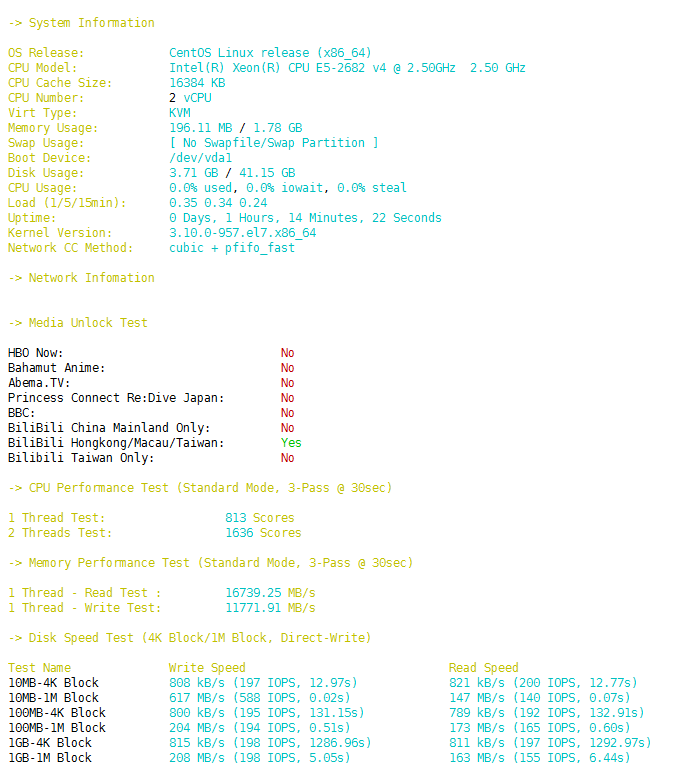
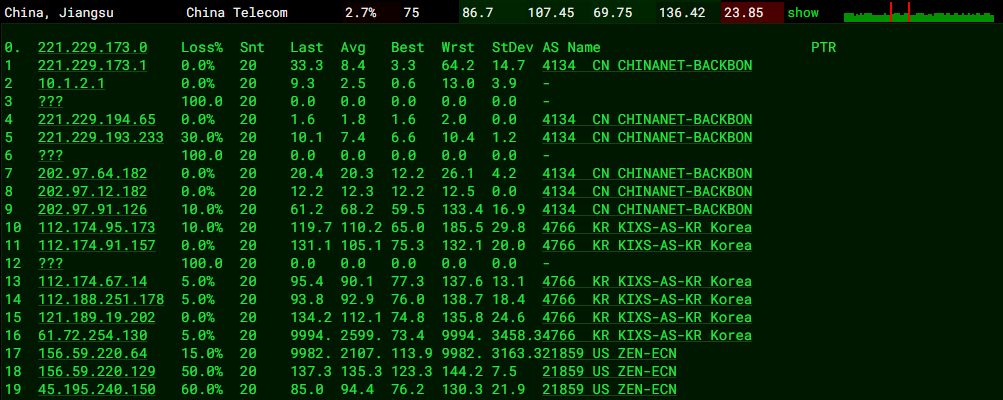
CPU是E5-2682 v4 @ 2.50GHz,硬盘io较低,带宽为独享,可长期占用


-> Traceroute Test (IPV4)
Traceroute to China, Beijing CU (TCP Mode, Max 30 Hop)
============================================================
traceroute to 123.125.99.1 (123.125.99.1), 30 hops max, 32 byte packets
1 45.195.240.1 0.25 ms AS21859 Republic of Korea, Seoul, cloudinnovation.org
2 *
3 *
4 61.72.254.129 0.62 ms AS4766 Republic of Korea, Seoul, kt.com
5 211.218.145.153 0.74 ms AS4766 Republic of Korea, Seoul, kt.com
6 112.188.250.41 2.05 ms AS4766 Republic of Korea, Seoul, kt.com
7 *
8 112.174.90.86 7.04 ms AS4766 Republic of Korea, kt.com
9 112.174.91.98 6.23 ms AS4766 Republic of Korea, Seoul, kt.com
10 112.174.95.34 9.15 ms AS4766 Republic of Korea, Seoul, kt.com
11 219.158.40.85 128.32 ms AS4837 China, Shanghai, ChinaUnicom
12 219.158.6.209 122.82 ms AS4837 China, Shanghai, ChinaUnicom
13 219.158.7.129 70.42 ms AS4837 China, Shanghai, ChinaUnicom
14 219.158.6.169 91.66 ms AS4837 China, Beijing, ChinaUnicom
15 *
16 219.232.11.206 78.36 ms AS4808 China, Beijing, ChinaUnicom
17 61.135.113.158 80.24 ms AS4808 China, Beijing, ChinaUnicom
18 *
19 *
20 *
21 *
22 *
23 *
24 *
25 *
26 *
27 *
28 *
29 *
30 *
Traceroute to China, Beijing CT (TCP Mode, Max 30 Hop)
============================================================
traceroute to 180.149.128.1 (180.149.128.1), 30 hops max, 32 byte packets
1 45.195.240.1 0.26 ms AS21859 Republic of Korea, Seoul, cloudinnovation.org
2 *
3 *
4 61.72.254.129 0.61 ms AS4766 Republic of Korea, Seoul, kt.com
5 121.189.18.217 0.57 ms AS4766 Republic of Korea, Seoul, kt.com
6 112.188.251.77 1.94 ms AS4766 Republic of Korea, Seoul, kt.com
7 *
8 112.174.90.150 6.34 ms AS4766 Republic of Korea, kt.com
9 112.174.91.2 6.51 ms AS4766 Republic of Korea, Seoul, kt.com
10 112.174.95.26 8.24 ms AS4766 Republic of Korea, Seoul, kt.com
11 *
12 202.97.93.221 137.48 ms AS4134 China, Beijing, ChinaTelecom
13 *
14 *
15 180.149.128.1 74.07 ms AS23724 China, Beijing, ChinaTelecom
Traceroute to China, Beijing CM (TCP Mode, Max 30 Hop)
============================================================
traceroute to 211.136.25.153 (211.136.25.153), 30 hops max, 32 byte packets
1 45.195.240.1 0.27 ms AS21859 Republic of Korea, Seoul, cloudinnovation.org
2 *
3 *
4 61.72.254.129 0.68 ms AS4766 Republic of Korea, Seoul, kt.com
5 121.189.19.193 0.79 ms AS4766 Republic of Korea, Seoul, kt.com
6 112.188.251.93 7.62 ms AS4766 Republic of Korea, Seoul, kt.com
7 *
8 112.174.90.122 6.29 ms AS4766 Republic of Korea, Seoul, kt.com
9 112.174.91.10 6.90 ms AS4766 Republic of Korea, Seoul, kt.com
10 112.174.95.170 6.52 ms AS4766 Republic of Korea, Seoul, kt.com
11 223.121.2.41 42.37 ms AS58453 Japan, Tokyo, ChinaMobile
12 223.120.2.245 34.97 ms AS58453 Japan, Tokyo, ChinaMobile
13 *
14 *
15 221.183.46.250 111.65 ms AS9808 China, Beijing, ChinaMobile
16 221.176.27.253 110.25 ms AS9808 China, Beijing, ChinaMobile
17 111.24.2.101 110.67 ms AS9808 China, Beijing, ChinaMobile
18 111.24.14.54 114.14 ms AS9808 China, Beijing, ChinaMobile
19 *
20 211.136.67.166 110.02 ms AS56048 China, Beijing, ChinaMobile
21 211.136.63.66 113.85 ms AS56048 China, Beijing, ChinaMobile
22 *
23 *
24 *
25 211.136.25.153 113.87 ms AS56048 China, Beijing, ChinaMobile
Traceroute to China, Shanghai CU (TCP Mode, Max 30 Hop)
============================================================
traceroute to 58.247.0.49 (58.247.0.49), 30 hops max, 32 byte packets
1 45.195.240.1 0.22 ms AS21859 Republic of Korea, Seoul, cloudinnovation.org
2 *
3 *
4 61.72.254.129 0.63 ms AS4766 Republic of Korea, Seoul, kt.com
5 121.189.18.193 0.77 ms AS4766 Republic of Korea, Seoul, kt.com
6 112.188.250.97 6.30 ms AS4766 Republic of Korea, Seoul, kt.com
7 *
8 112.174.90.130 6.62 ms AS4766 Republic of Korea, kt.com
9 112.174.91.250 6.74 ms AS4766 Republic of Korea, Seoul, kt.com
10 112.174.95.194 6.28 ms AS4766 Republic of Korea, Seoul, kt.com
11 219.158.38.157 26.27 ms AS4837 China, Shanghai, ChinaUnicom
12 219.158.8.173 75.89 ms AS4837 China, Shanghai, ChinaUnicom
13 *
14 139.226.210.98 60.67 ms AS17621 China, Shanghai, ChinaUnicom
15 112.64.252.197 42.16 ms AS17621 China, Shanghai, ChinaUnicom
16 58.247.0.49 46.24 ms AS17621 China, Shanghai, ChinaUnicom
Traceroute to China, Shanghai CT (TCP Mode, Max 30 Hop)
============================================================
traceroute to 180.153.28.1 (180.153.28.1), 30 hops max, 32 byte packets
1 45.195.240.1 0.24 ms AS21859 Republic of Korea, Seoul, cloudinnovation.org
2 *
3 *
4 61.72.254.129 0.63 ms AS4766 Republic of Korea, Seoul, kt.com
5 121.189.18.213 0.67 ms AS4766 Republic of Korea, Seoul, kt.com
6 112.188.250.81 5.71 ms AS4766 Republic of Korea, Seoul, kt.com
7 *
8 112.174.90.98 6.46 ms AS4766 Republic of Korea, kt.com
9 112.174.91.250 6.31 ms AS4766 Republic of Korea, Seoul, kt.com
10 112.174.90.242 6.93 ms AS4766 Republic of Korea, Seoul, kt.com
11 *
12 202.97.33.125 61.00 ms AS4134 China, Shanghai, ChinaTelecom
13 202.97.82.61 121.71 ms AS4134 China, Guangdong, Guangzhou, ChinaTelecom
14 *
15 61.152.26.77 132.44 ms AS4812 China, Shanghai, ChinaTelecom
16 101.95.207.18 140.73 ms AS4812 China, Shanghai, ChinaTelecom
17 101.227.255.34 76.33 ms AS4812 China, Shanghai, ChinaTelecom
18 101.227.255.46 126.53 ms AS4812 China, Shanghai, ChinaTelecom
19 101.227.250.2 90.13 ms AS4812 China, Shanghai, ChinaTelecom
20 101.227.250.2 148.66 ms AS4812 China, Shanghai, ChinaTelecom
21 180.153.28.1 118.26 ms AS4812 China, Shanghai, ChinaTelecom
Traceroute to China, Shanghai CM (TCP Mode, Max 30 Hop)
============================================================
traceroute to 221.183.55.22 (221.183.55.22), 30 hops max, 32 byte packets
1 45.195.240.1 0.27 ms AS21859 Republic of Korea, Seoul, cloudinnovation.org
2 *
3 *
4 61.72.254.129 0.59 ms AS4766 Republic of Korea, Seoul, kt.com
5 121.189.19.197 0.77 ms AS4766 Republic of Korea, Seoul, kt.com
6 112.188.250.41 3.53 ms AS4766 Republic of Korea, Seoul, kt.com
7 *
8 112.174.90.122 6.54 ms AS4766 Republic of Korea, Seoul, kt.com
9 112.174.91.106 7.39 ms AS4766 Republic of Korea, Seoul, kt.com
10 112.174.95.170 7.55 ms AS4766 Republic of Korea, Seoul, kt.com
11 223.121.2.41 34.82 ms AS58453 Japan, Tokyo, ChinaMobile
12 223.120.2.189 39.48 ms AS58453 Japan, Tokyo, ChinaMobile
13 *
14 221.183.55.22 93.40 ms AS9808 China, Shanghai, ChinaMobile
Traceroute to China, Guangzhou CU (TCP Mode, Max 30 Hop)
============================================================
traceroute to 210.21.4.130 (210.21.4.130), 30 hops max, 32 byte packets
1 45.195.240.1 0.25 ms AS21859 Republic of Korea, Seoul, cloudinnovation.org
2 *
3 *
4 61.72.254.129 0.65 ms AS4766 Republic of Korea, Seoul, kt.com
5 211.218.145.153 0.64 ms AS4766 Republic of Korea, Seoul, kt.com
6 112.188.250.217 3.83 ms AS4766 Republic of Korea, Seoul, kt.com
7 *
8 112.174.90.14 5.52 ms AS4766 Republic of Korea, kt.com
9 112.174.86.218 7.38 ms AS4766 Republic of Korea, Seoul, kt.com
10 112.174.95.150 7.76 ms AS4766 Republic of Korea, Seoul, kt.com
11 219.158.40.85 125.39 ms AS4837 China, Shanghai, ChinaUnicom
12 219.158.6.205 122.49 ms AS4837 China, Shanghai, ChinaUnicom
13 219.158.7.129 89.62 ms AS4837 China, Shanghai, ChinaUnicom
14 219.158.6.214 111.38 ms AS4837 China, Guangdong, Guangzhou, ChinaUnicom
15 120.86.0.182 100.76 ms AS17816 China, Guangdong, Guangzhou, ChinaUnicom
16 120.80.122.46 103.28 ms AS17622 China, Guangdong, Guangzhou, ChinaUnicom
17 120.80.91.62 111.24 ms AS17816 China, Guangdong, Guangzhou, ChinaUnicom
18 *
19 *
20 *
21 *
22 *
23 *
24 *
25 *
26 *
27 *
28 *
29 *
30 *
Traceroute to China, Guangzhou CT (TCP Mode, Max 30 Hop)
============================================================
traceroute to 113.108.209.1 (113.108.209.1), 30 hops max, 32 byte packets
1 45.195.240.1 0.25 ms AS21859 Republic of Korea, Seoul, cloudinnovation.org
2 *
3 *
4 61.72.254.129 0.70 ms AS4766 Republic of Korea, Seoul, kt.com
5 61.74.156.13 0.75 ms AS4766 Republic of Korea, Seoul, kt.com
6 112.188.250.65 5.59 ms AS4766 Republic of Korea, Seoul, kt.com
7 *
8 112.174.90.98 6.40 ms AS4766 Republic of Korea, kt.com
9 112.174.91.106 7.53 ms AS4766 Republic of Korea, Seoul, kt.com
10 112.174.95.30 7.89 ms AS4766 Republic of Korea, Seoul, kt.com
11 *
12 202.97.12.189 86.49 ms AS4134 China, Shanghai, ChinaTelecom
13 202.97.24.149 76.91 ms AS4134 China, Shanghai, ChinaTelecom
14 *
15 113.96.4.54 103.87 ms AS4134 China, Guangdong, Guangzhou, ChinaTelecom
16 113.108.209.1 111.12 ms AS4134 China, Guangdong, Guangzhou, ChinaTelecom
Traceroute to China, Guangzhou CM (TCP Mode, Max 30 Hop)
============================================================
traceroute to 211.139.129.5 (211.139.129.5), 30 hops max, 32 byte packets
1 45.195.240.1 0.24 ms AS21859 Republic of Korea, Seoul, cloudinnovation.org
2 *
3 *
4 61.72.254.129 0.64 ms AS4766 Republic of Korea, Seoul, kt.com
5 121.189.19.217 0.55 ms AS4766 Republic of Korea, Seoul, kt.com
6 112.188.251.37 1.76 ms AS4766 Republic of Korea, Seoul, kt.com
7 *
8 112.174.90.150 6.13 ms AS4766 Republic of Korea, kt.com
9 112.174.86.222 7.34 ms AS4766 Republic of Korea, Seoul, kt.com
10 112.174.90.250 7.59 ms AS4766 Republic of Korea, Seoul, kt.com
11 223.121.2.41 35.59 ms AS58453 Japan, Tokyo, ChinaMobile
12 223.120.2.189 47.87 ms AS58453 Japan, Tokyo, ChinaMobile
13 223.120.2.21 68.11 ms AS58453 China, Hong Kong, ChinaMobile
14 *
15 *
16 221.176.20.1 94.59 ms AS9808 China, Guangdong, Guangzhou, ChinaMobile
17 221.176.24.157 98.85 ms AS9808 China, Guangdong, Guangzhou, ChinaMobile
18 111.24.5.173 122.51 ms AS9808 China, Guangdong, Guangzhou, ChinaMobile
19 111.24.5.218 104.66 ms AS9808 China, Guangdong, Guangzhou, ChinaMobile
20 120.198.206.194 95.51 ms AS56040 China, Guangdong, Guangzhou, ChinaMobile
21 211.139.129.5 104.91 ms AS56040 China, Guangdong, Guangzhou, ChinaMobile

电信

联通

移动

![[AMH面板] AMH-7.0面板软件d-os-1.3发布。](https://liaojiong.com/wp-content/uploads/2022/07/1657883450-d-os.gif)
软件名称:d-os-1.3
软件分类:应用软件
软件类别:桌面程序
版本号:1.3
d-os-1.3软件介绍

引用:
更新升级到d-os-1.3版本,优化区块显示,增加显示系统架构、编译器与优化各项信息。桌面程序模块,查看系统信息各项信息与设置。
[/alert]发布时间:2022-07-13

对于新手建站,如果不想使用Oneinstack或者LNMP一键安装包这类命令脚本工具,现在多数人会推荐使用BT宝塔面板,这是一个非常适合新手建站的VPS国产面板。而今天分享的AMH 是国内首个开源的主机面板,使用APL开源软件协议,且免费授权!
AMH面板出来的时间比宝塔面板要早,但是后来AMH面板走向了收费的道路(虽然AMH面板保留了免费版本,但是免费版本长期不更新,且有众多限制),于是使用AMH面板人也是越来越少了。近期,AMH面板放出了AMH 7.0免费版本,且解除了之前的众多限制条件,功能也比之前要强不少。
如果你不想使用宝塔面板的话,AMH面板是宝塔面板的完美替换方案。AMH面板支持创建 LNMP、LAMP、LNMH、LNGX、LNAMP等不同WEB应用环境,拥有像宝塔面板一样的应用商店,可以在线安装Nginx、Apache、SSL等应用,支持网站本地备份和网盘备份,建站还是挺方便的。

网站:
AMH7.0 极速安装支持的系统:支持目前 CentOS、Ubuntu、Debian 已发行的稳定版本
如果您系统不在以下列表中,请使用定制方式编译安装。
1、x86/x86_64 架构支持安装的系统:
CentOS Stream 9 x64 New
CentOS Stream 8 x64
CentOS 7 x64
Debian 11 x64 (bullseye)
Debian 10 x64 (buster)
Debian 9 x64 (Stretch)
Ubuntu 22 x64 New
Ubuntu 20 x64
Ubuntu 18 x64
2、aarch64/arm64 架构支持安装的系统:
CentOS Stream 8 x64 New
CentOS 7 x64
Debian 10 x64 (buster)
Ubuntu 20 x64
Ubuntu 18 x64
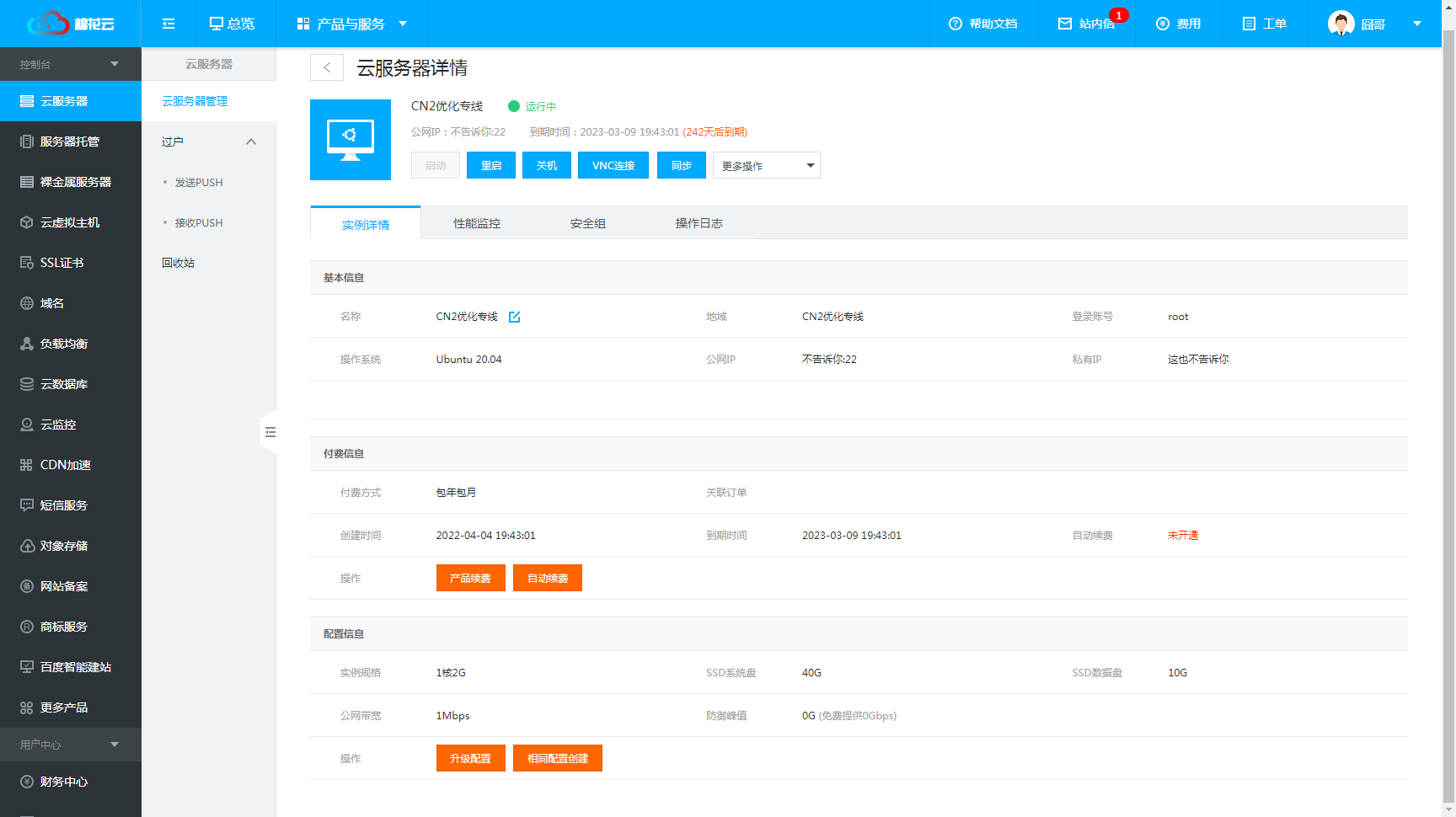
本次使用香港机型配置如下,感谢棉花云提供

极速安装 amh
wget http://dl.amh.sh/amh.sh && bash amh.sh acc 30144
编译安装 amh
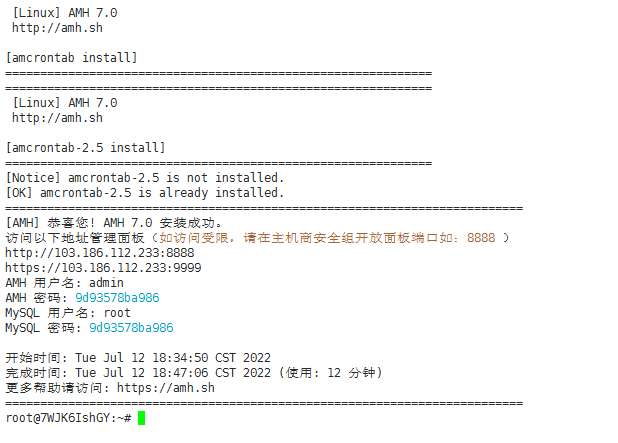
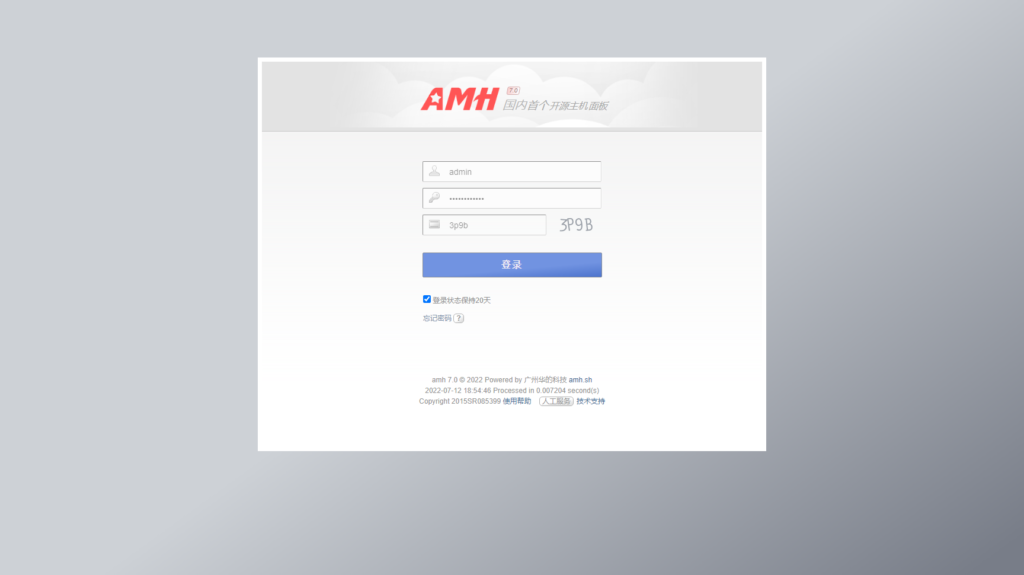
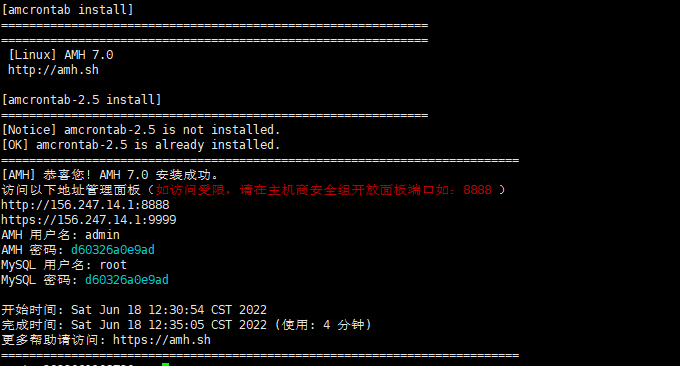
wget http://dl.amh.sh/amh.sh && bash amh.sh gcc 30144 安装成功后系统会提示面板访问地址与AMH、MySQL默认账号密码。

安装amh如果提示 wget: command not found,请先执行以下命令安装wget再安装AMH:
yum install -y wget 或者 apt-get install -y wget
安装amh过程中如果服务器解析不了amh.sh域名的情况,请先更换服务器的DNS再安装AMH。执行以下命令完成更换DNS解析:
echo -e "options timeout:1 attempts:1 rotate\nnameserver 8.8.8.8\nnameserver 114.114.114.114" >/etc/resolv.conf;
安装amh成功后无法访问面板情况,请您检查主机商是否有安全组/防火墙相关限制,请开放端口,如开放面板8888端口。

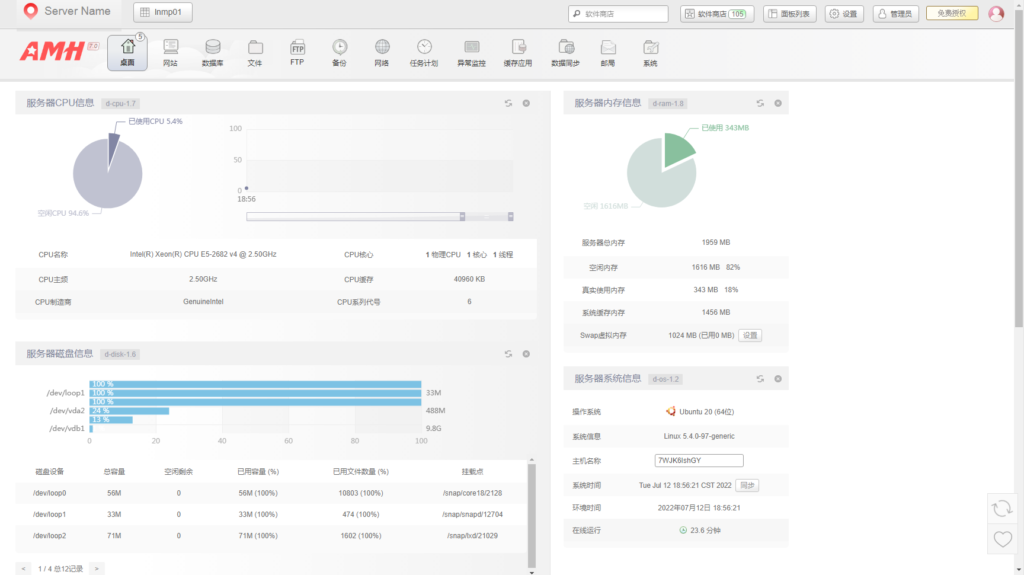
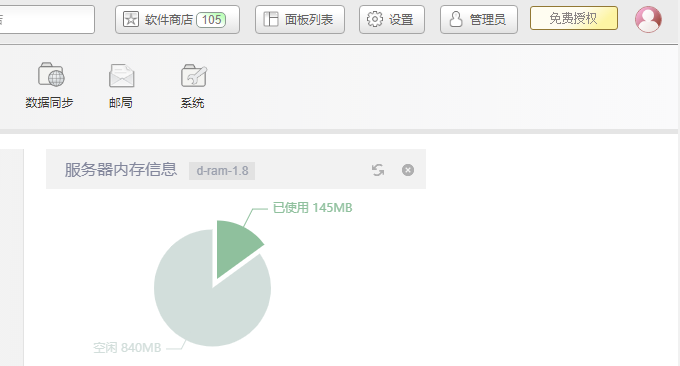
这个是AMH 面板的管理界面,主要有桌面、网站 、数据库 、文件 、FTP 、备份 、网络 、任务计划 、异常监控 、缓存应用 、数据同步 、邮局 、系统等。

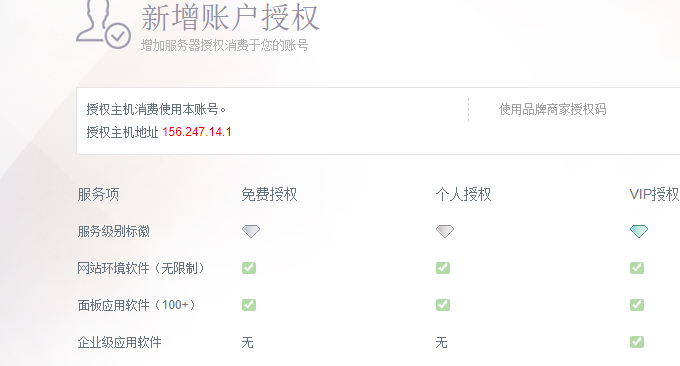
AMH 面板有部分功能需要你连接你的AMH 面板账号,点击右上角的“免费授权”。
然后注册AMH 面板账号,选择免费套餐即可。

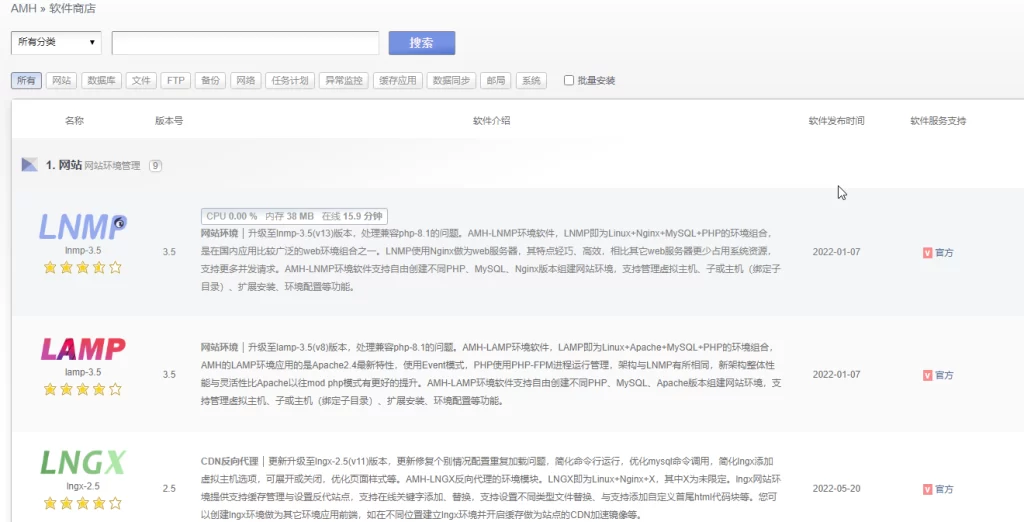
LNMP即Nginx、Mysql、PHP建站环境,通常我们建站都是采用LNMP架构,AMH安装完成后默认就是LNMP已经安装完成,如果你发现没有安装,你可以自己手动到应用商店在线安装LNMP。

包括Nginx、PHP等都可以手动安装。

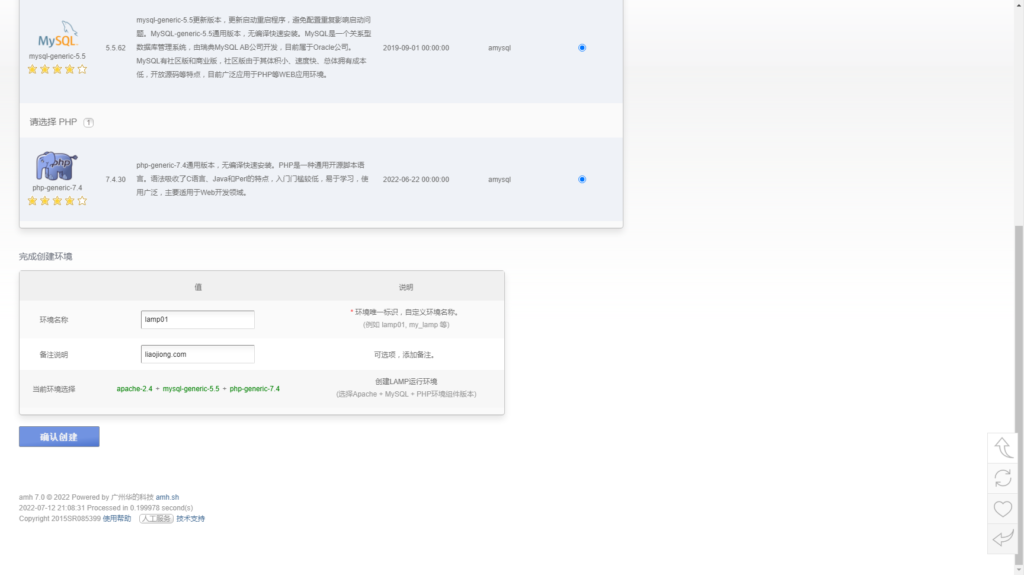
LAMP即Apache、Mysql、PHP建站环境,通常对于只能运行Apache的网站,我们可以选择LAMP建站环境。先在应用商店里安装LAMP,然后安装Apache。
安装完成后,我们需要在“设置-默认组件-Web服务器”中修改为Apache

然后点击网站-LAMP环境列表,这里你可以新建一个apache的建站环境。

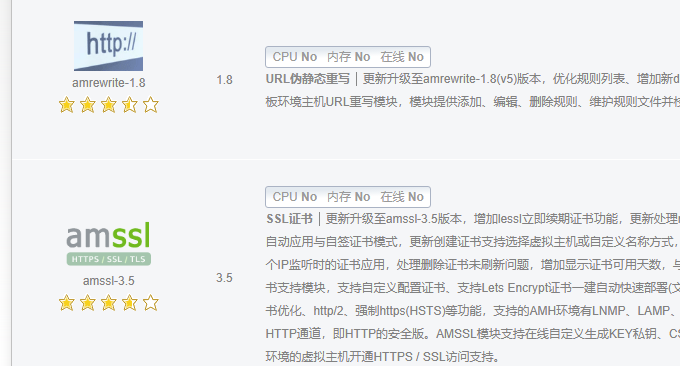
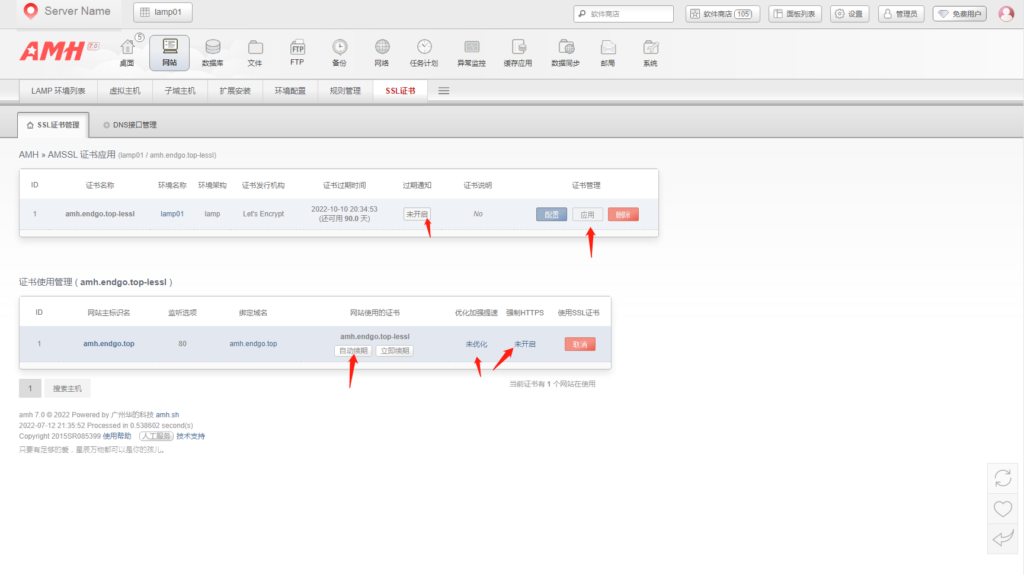
AMSSL可以帮助我们自动申请和续期Lets Encrypt证书,同时也支持管理自定义SSL证书。


这也是一个建站必备的组件,AMRewrite是AMH面板环境主机URL重写模块,模块提供添加、编辑、删除规则、维护规则文件并校验规则正确性。自带了Wordpress、DZ论坛等热门程序的Nginx URL重写规则。

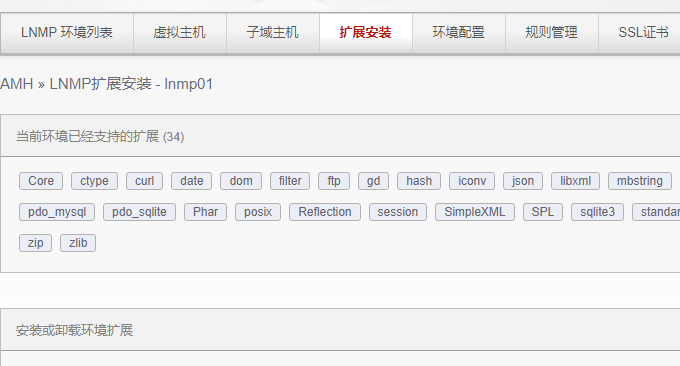
对于一些特殊的建站需求,你可以直接在AMH安装PHP扩展。

AMH支持以下PHP扩展安装:
1.文件与编码: xsl soap fileinfo xmlrpc intl gettext
2.网络与编程:pcntl sockets swoole bcmath gmp imap
3.数据库扩展:mysqlnd pdo_mysql mysqli
4.程序代码缓存:eaccx opcache
5.加密运算:zendx sourceguardian ioncube_loaders mcrypt sodium
6.图像处理:pecl_imagick exif zbarcode
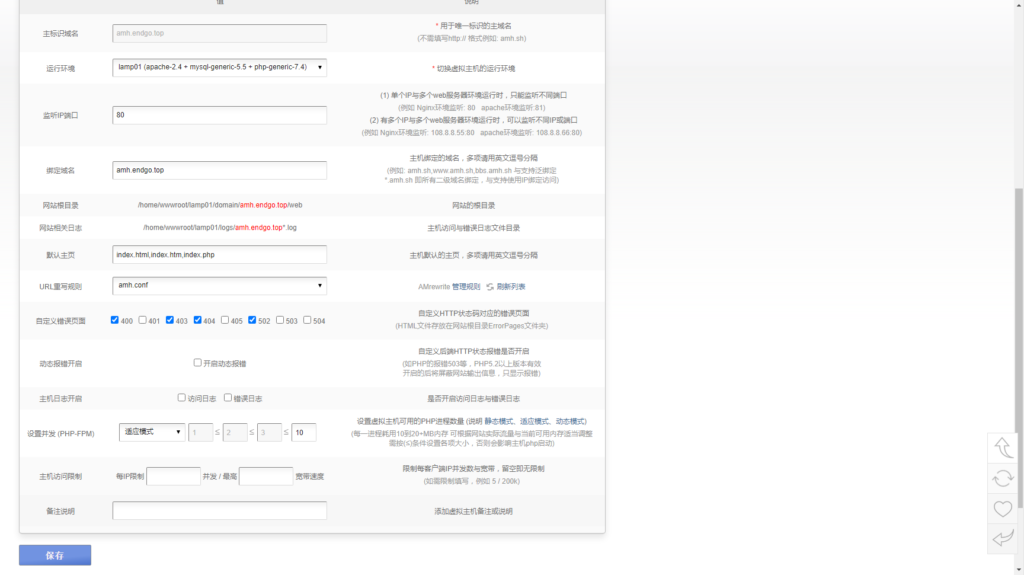
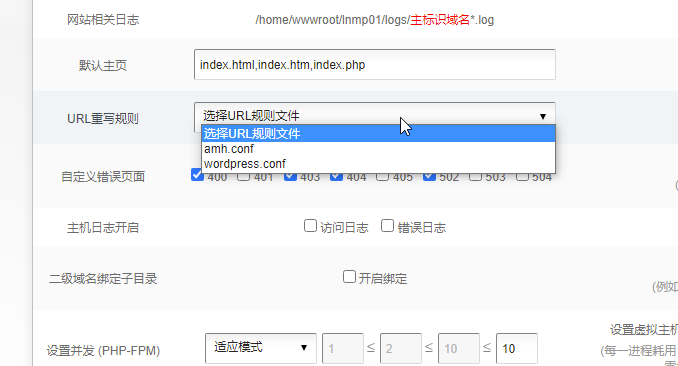
首先,将你的域名解析到AMH面板的IP上,然后进入到LNMP或者是LAMP环境中,新建网站,填入你的域名,注意端口填入:80,中间用英文逗号。如果用的是Nginx,重写规则那里需要选择对应的程序。

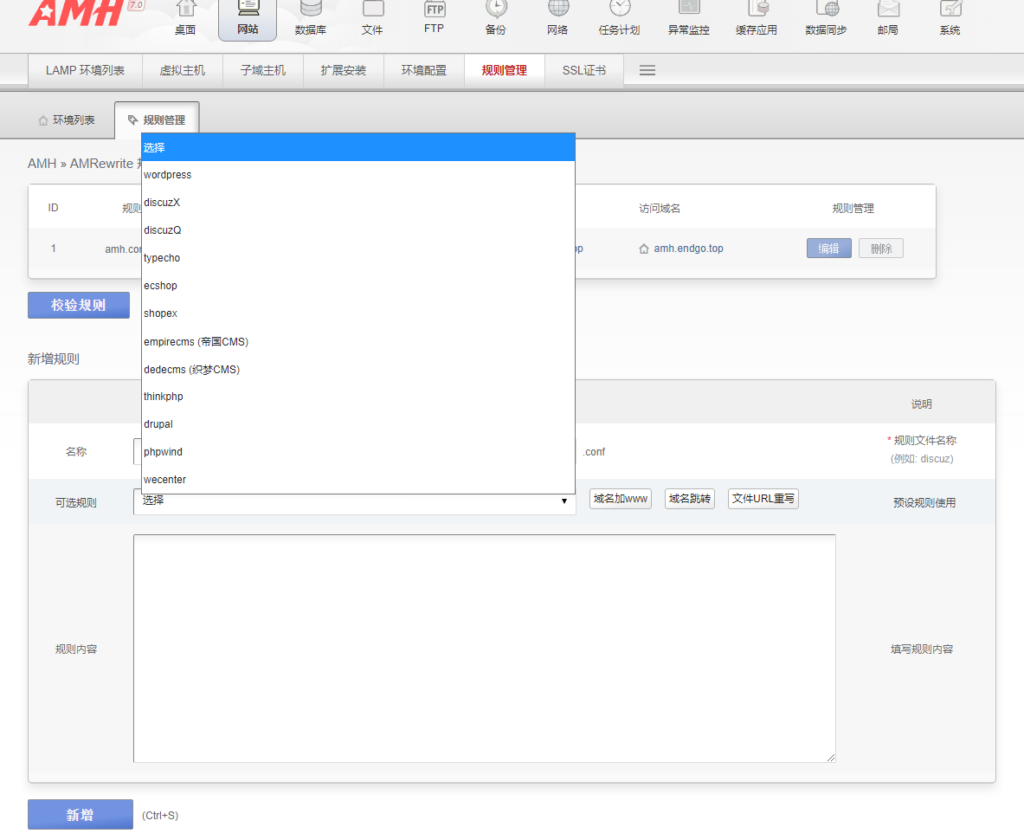
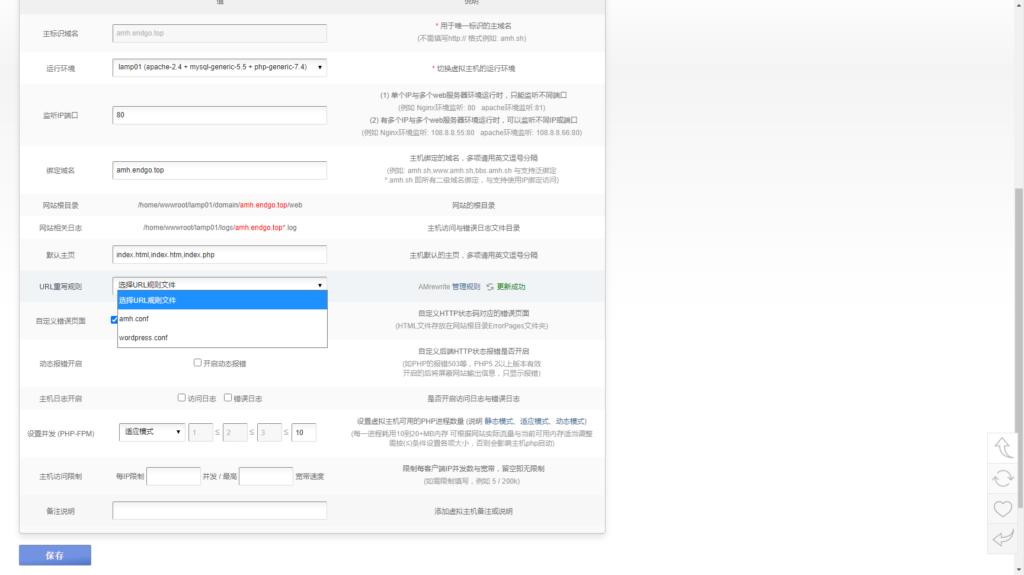
刚刚在创建网站时需要选择对应的程序URL重写规则,如果你用的是Wordpress。那么可以直接新建规则,选择Wordpress,如下图:

然后回到你刚刚创建的网站,编辑,选择新的URL规则,保存。

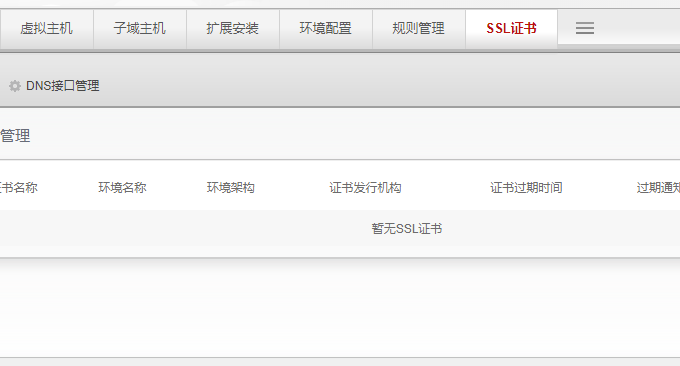
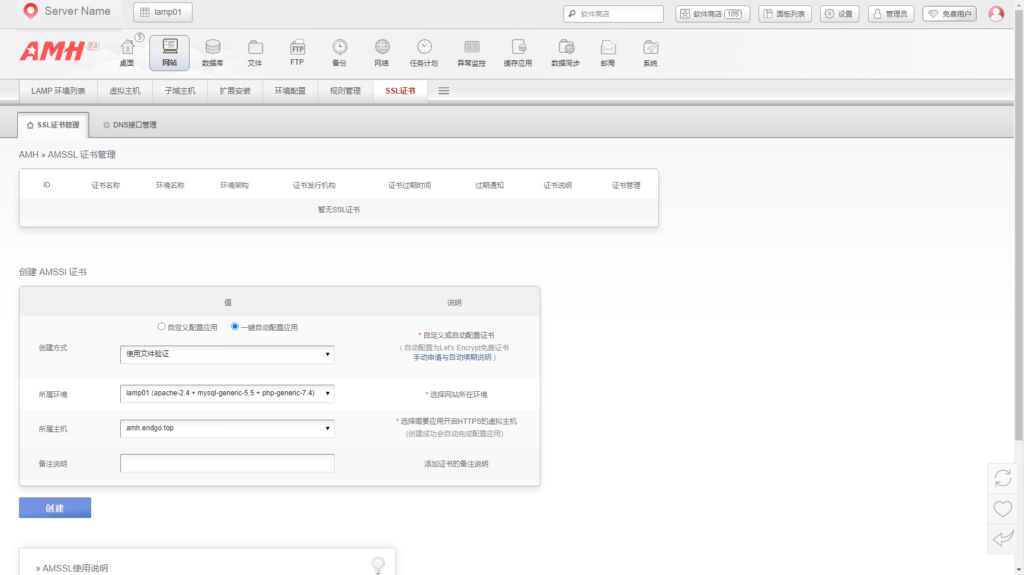
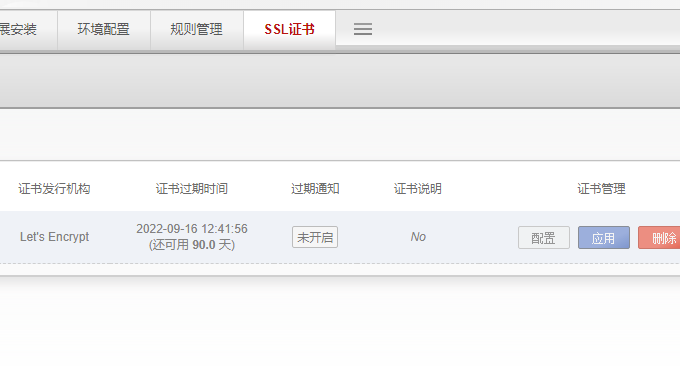
确保你的域名的DNS解析已经生效,点击网站域名,选择SSL证书。选择一键部署SSL证书。

稍等一会儿,你就可以看到AMH面板成功申请到了Lets Encrypt证书。

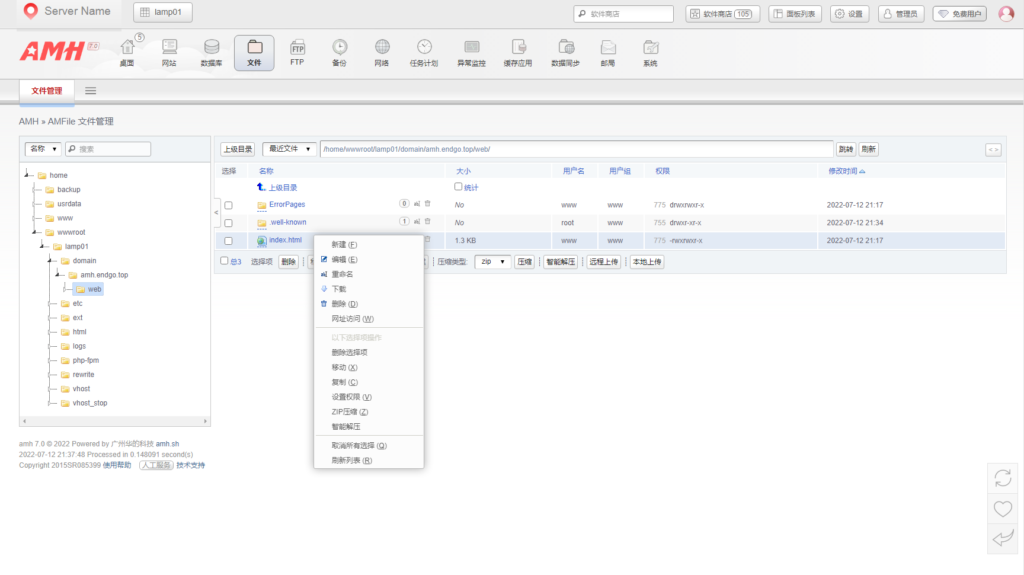
AMH面板的在线文件管理器非常强大。
在线文件管理器各种功能都有,解压、压缩、权限设置、移动、复制等,AMH在线文件管理都可以做到。

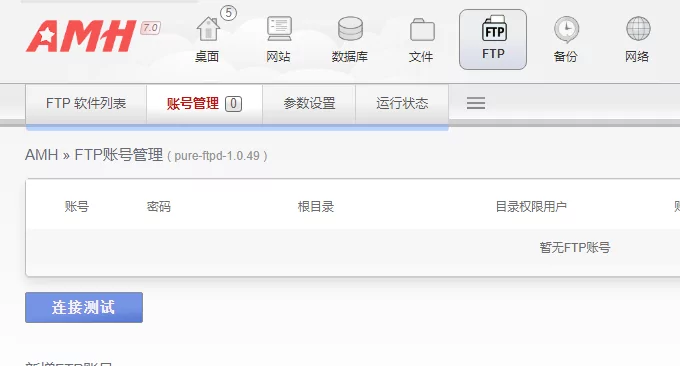
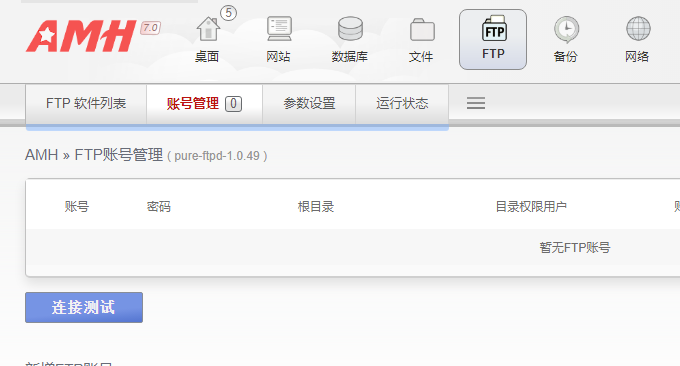
AMH面板也可以创建FTP账号,用FTP软件来管理。

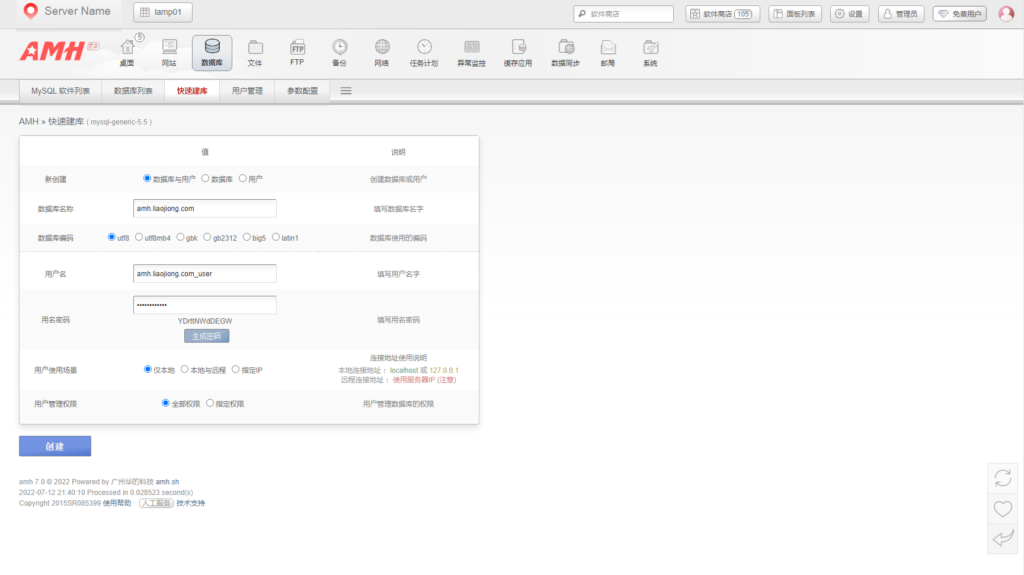
AMH面板可以直接创建Mysql数据库。

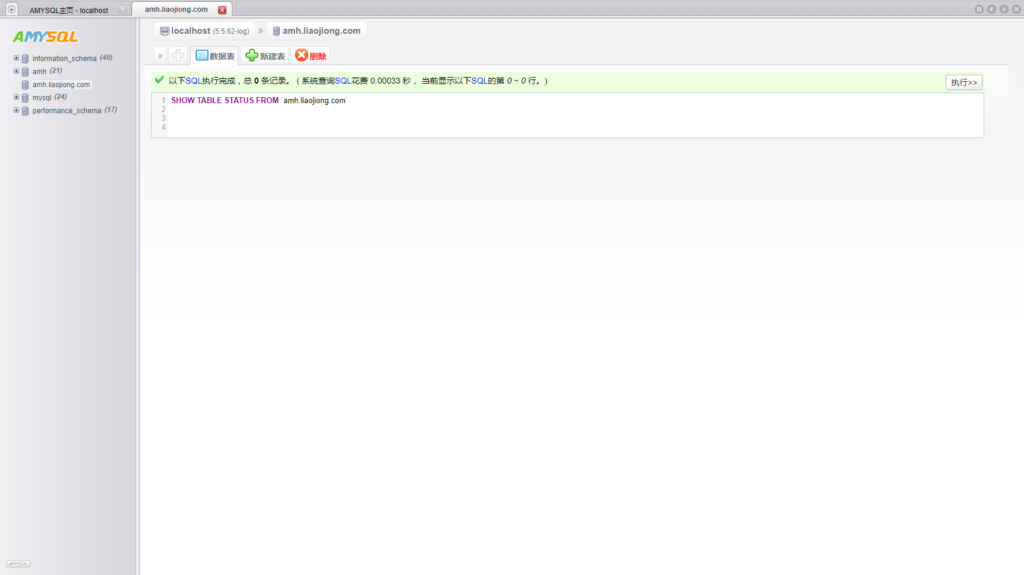
AMH面板提供了在线管理Mysql功能。

创建好的Mysql数据库后可以导入、导出。
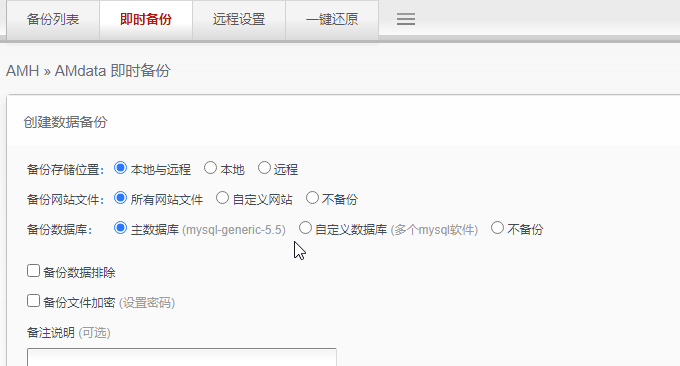
AMH面板可以快速给网站的数据库备份以及还原。

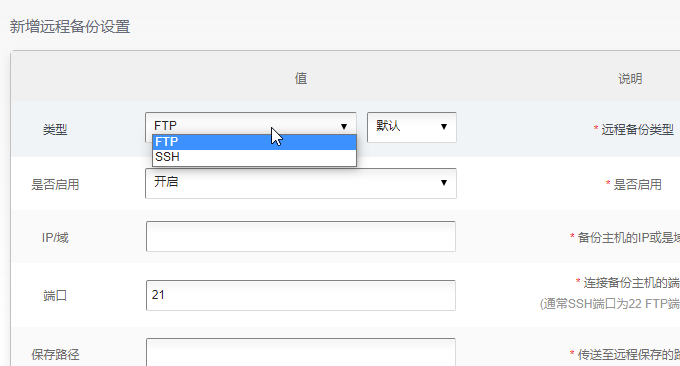
AMH面板支持FTP远程备份。

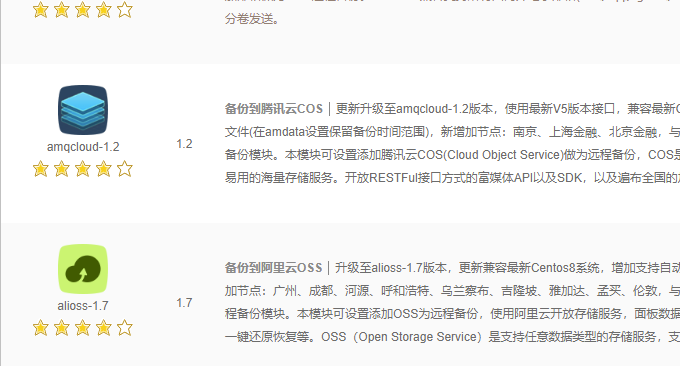
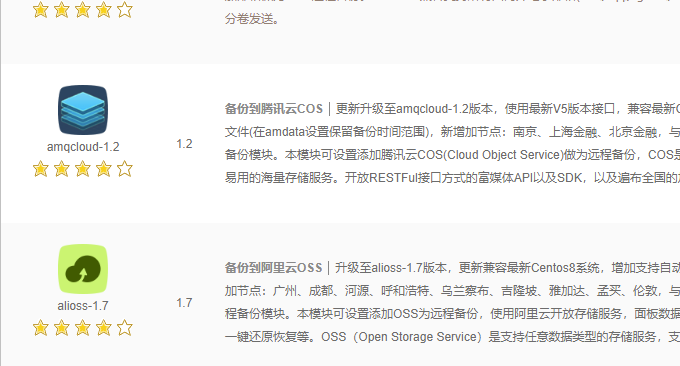
AMH面板还可以将备份的文件自动备份到腾讯云COS、阿里云OSS等云存储中,你只需要在应用商店安装相应的备份插件即可。

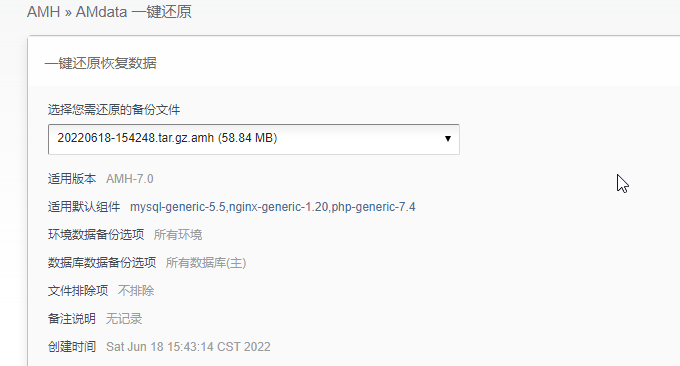
AMH面板可以将网站备份自动还原。

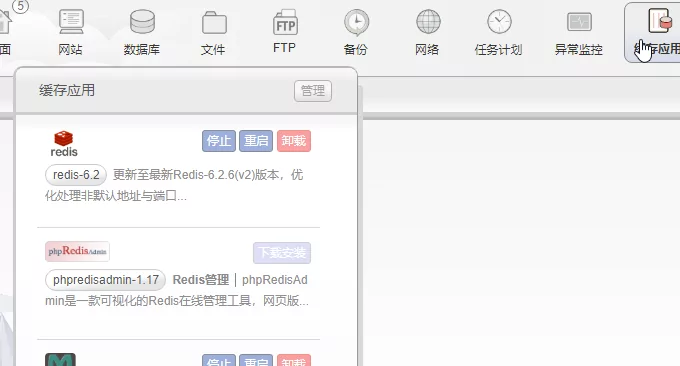
AMH面板可以直接在线安装缓存插件,例如Redis、Memcached等。安装完成后,直接启用即。

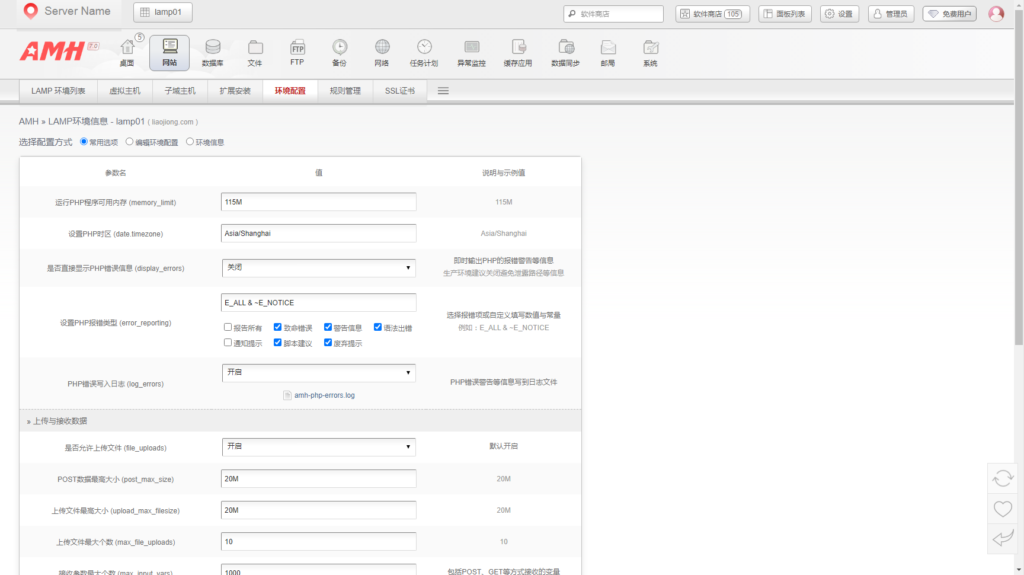
如果你想修改PHP相关的参数,直接进入到“环境配置”中修改PHP相关的参数。

支持修改的PHP参数主要有:
运行PHP程序可用内存 (memory_limit)
设置PHP时区 (date.timezone)
是否直接显示PHP错误信息 (display_errors)
设置PHP报错类型 (error_reporting)
是否允许上传文件 (file_uploads)
POST数据最高大小 (post_max_size)
上传文件最高大小 (upload_max_filesize)
上传文件最大个数 (max_file_uploads)
接收参数最大个数 (max_input_vars)
包括POST、GET等方式接收的变量
接收参数最长时间 (max_input_time)
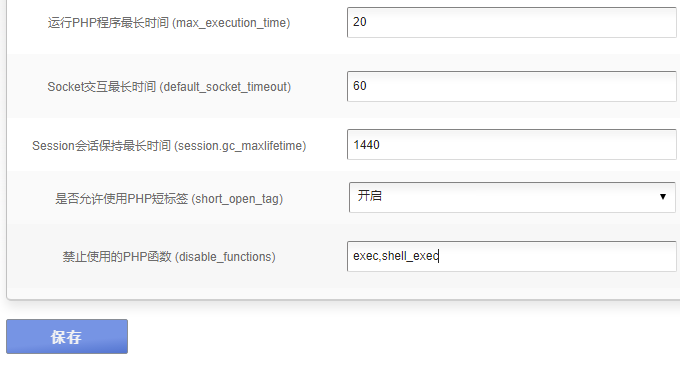
运行PHP程序最长时间 (max_execution_time)
限制PHP程序运行的最长时间
Socket交互最长时间 (default_socket_timeout)
限制Socket交互最长时间
Session会话保持最长时间 (session.gc_maxlifetime)
是否允许使用PHP短标签 (short_open_tag)
禁止使用的PHP函数 (disable_functions)
AMH面板禁用函数默认为空,为了安全可以将一些需要禁用的PHP函数写进去。

AMH面板设置非www跳转到www和Http跳转到Https访问,需要在你的URL地址重写规则那里加上以下代码:
if ($host !~* '^www.' ) {
rewrite ^/(.*)$ $scheme://www.$host/$1 permanent;
}
if ($scheme = http ) {
rewrite ^(.*)$ https://$host$1 permanent;
}以聊囧的AMH面板运行Wordpress为例,完整的URL地址重写规则如下:
if ($host !~* '^www.' ) {
rewrite ^/(.*)$ $scheme://www.$host/$1 permanent;
}
if ($scheme = http ) {
rewrite ^(.*)$ https://$host$1 permanent;
}
location / {
if (-f $request_filename/index.html){
rewrite (.*) $1/index.html break;
}
if (-f $request_filename/index.php){
rewrite (.*) $1/index.php;
}
if (!-f $request_filename){
rewrite (.*) /index.php;
}
}
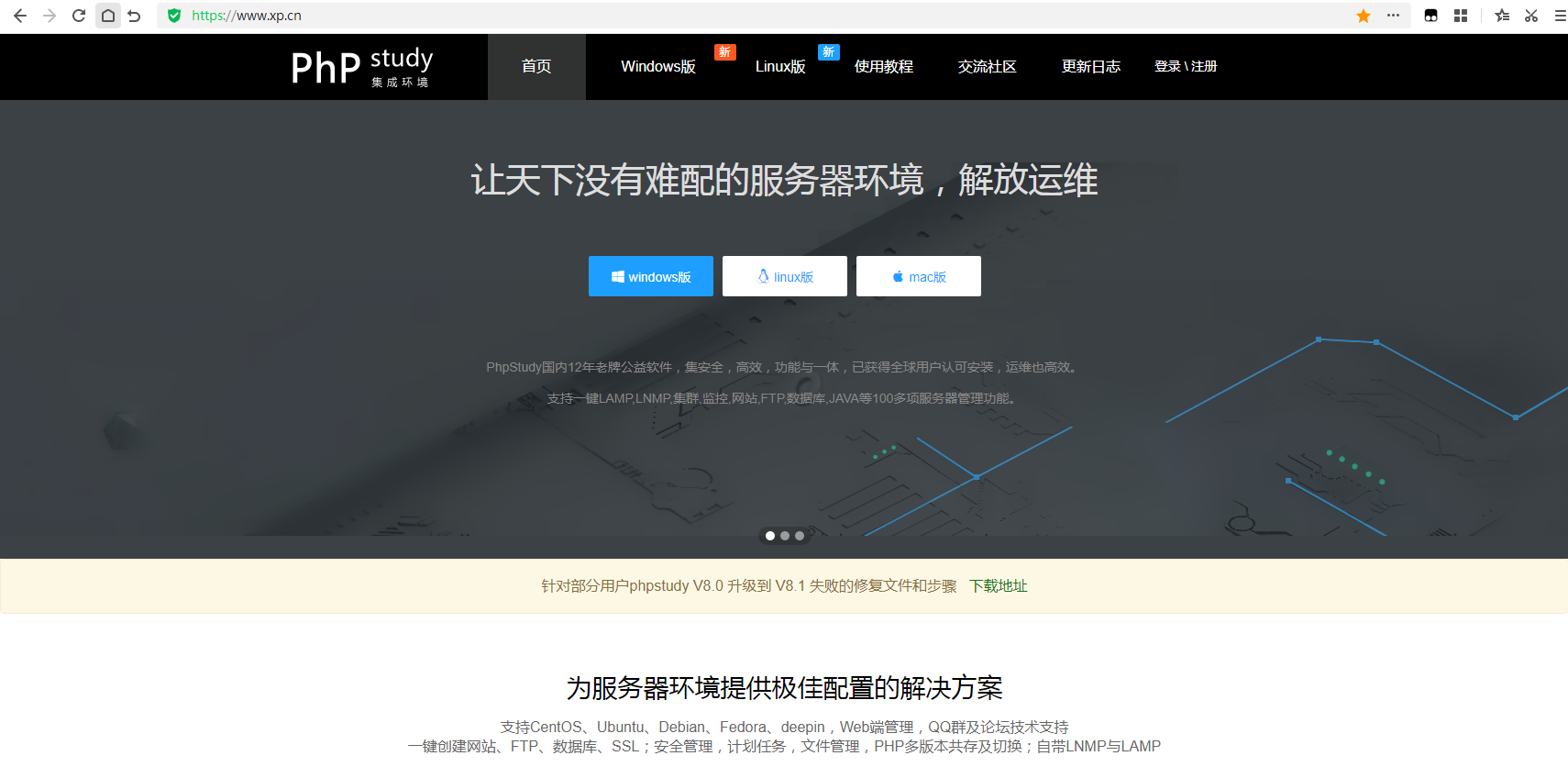
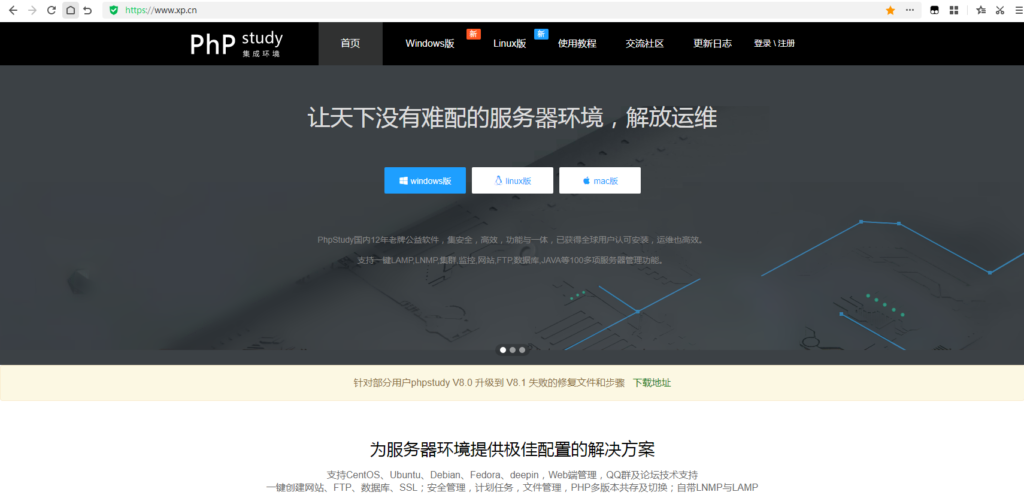
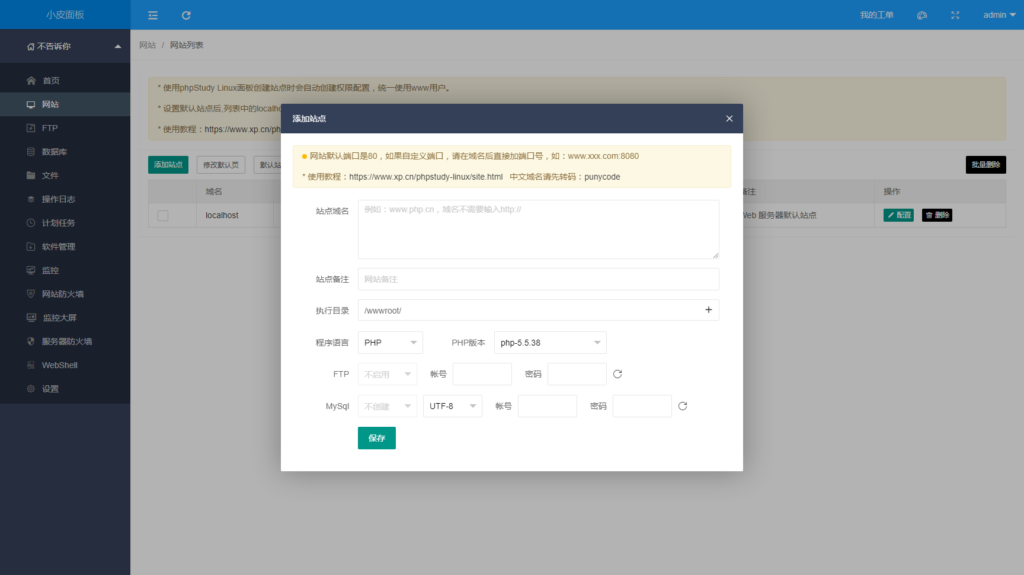
囧哥在初学网站搭建的时候,本地环境就是使用phpstudy搭建的,随着近几年宝塔带领着国内的linux面板兴起,商丘芝麻开门网络科技有限公司(“小皮”母公司)收下了xp.cn这个域名,开始了Linux面板这条路。
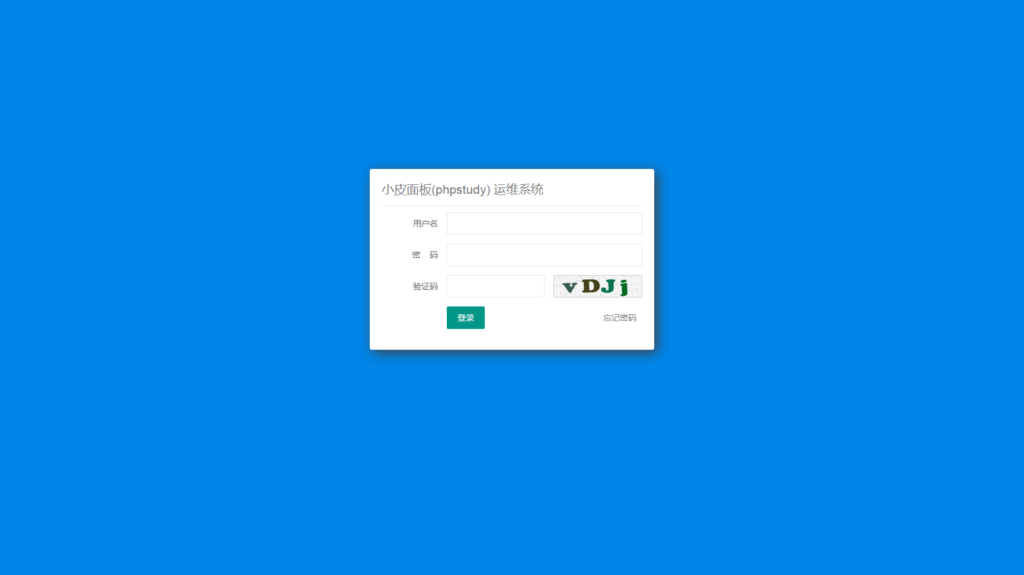
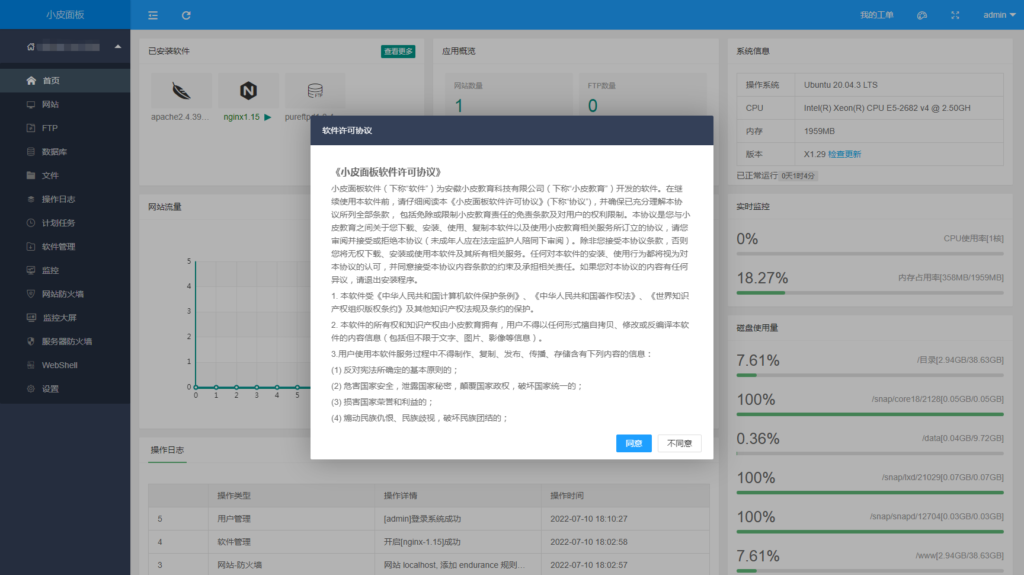
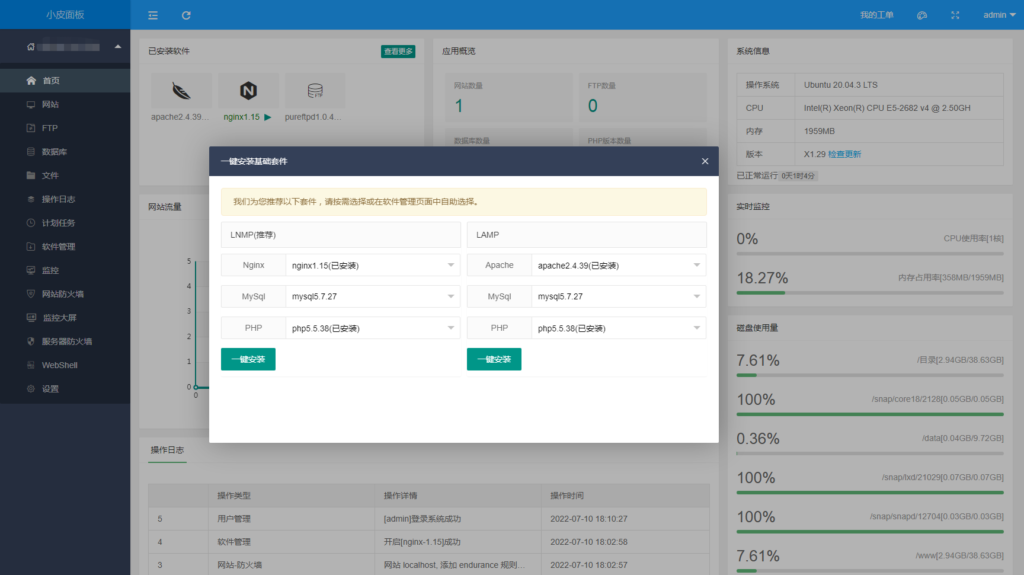
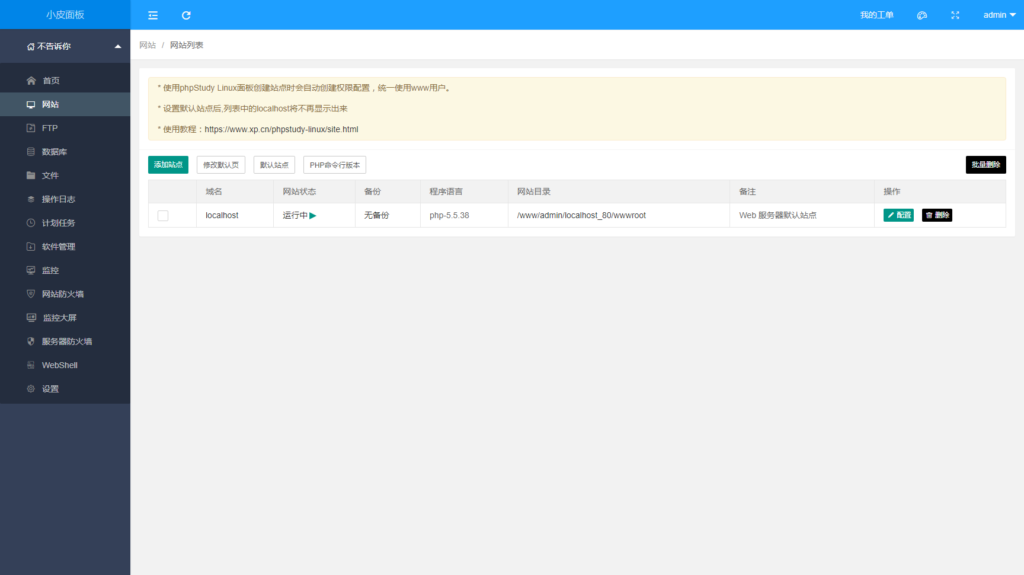
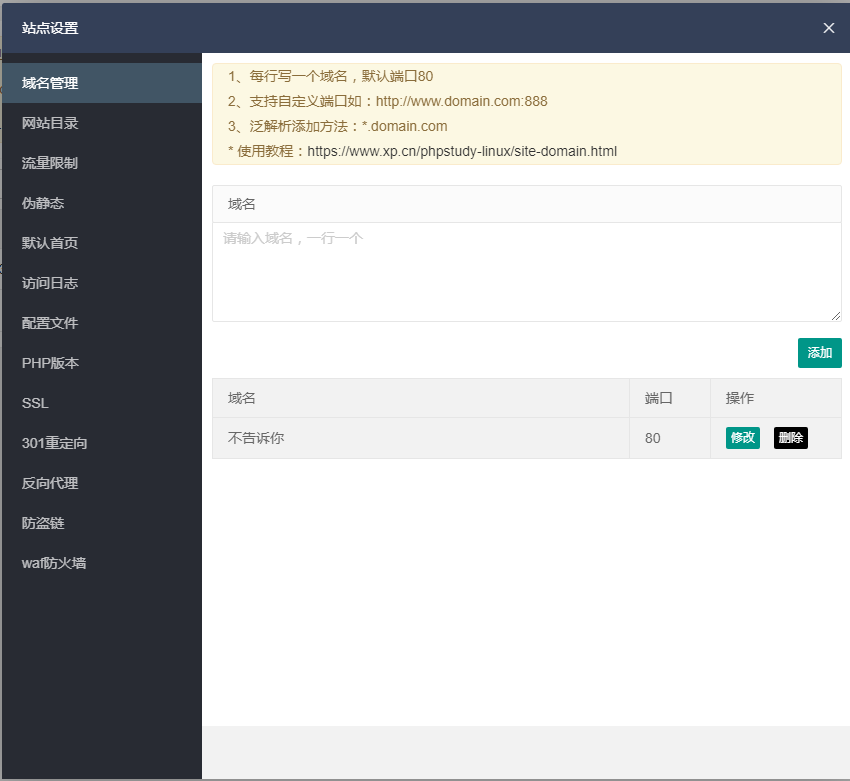
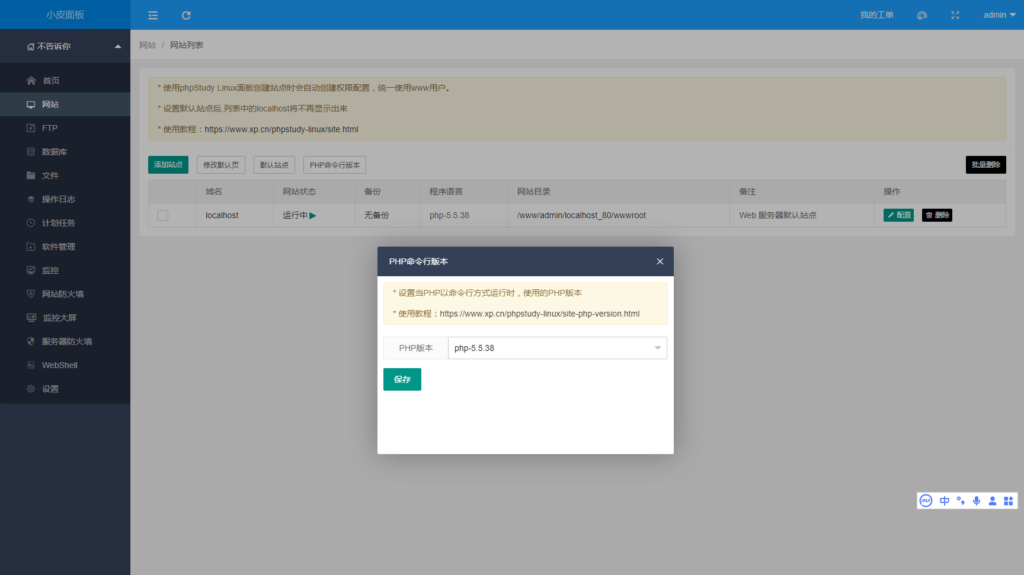
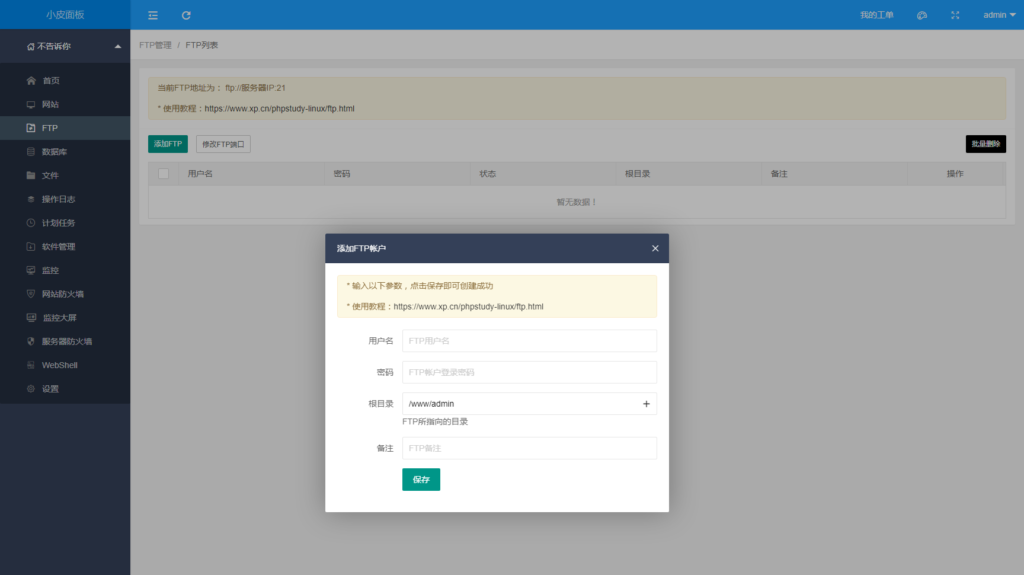
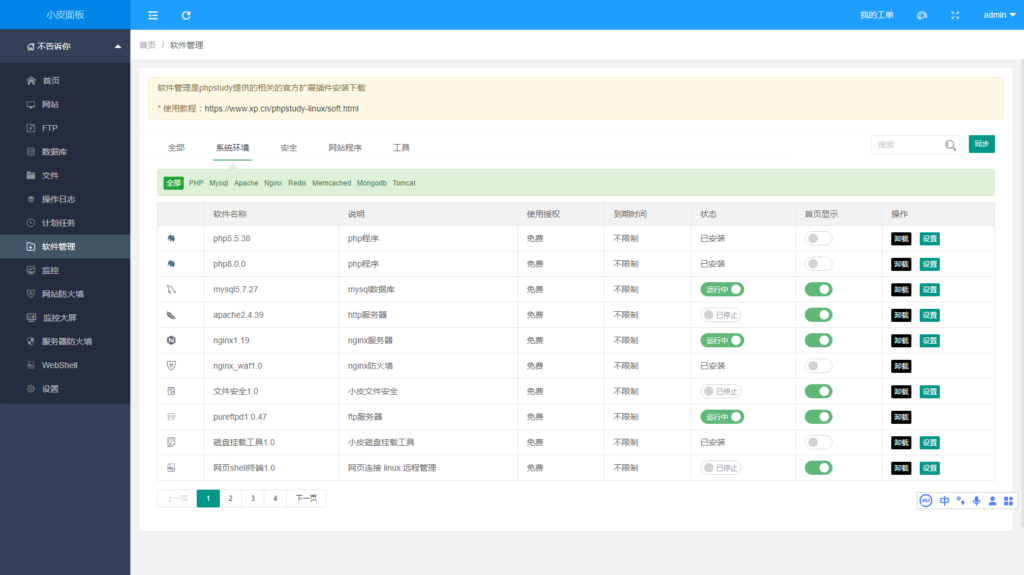
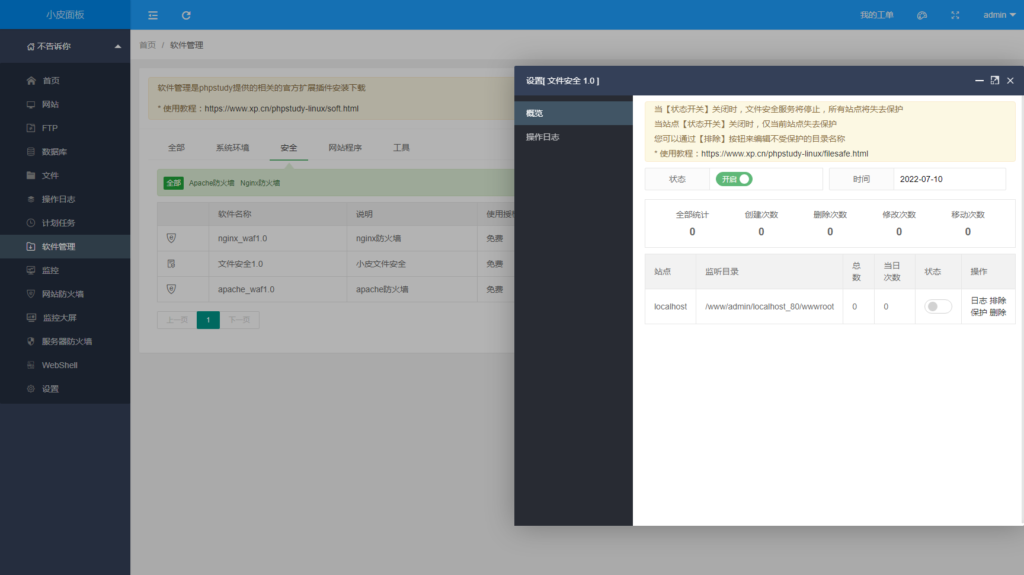
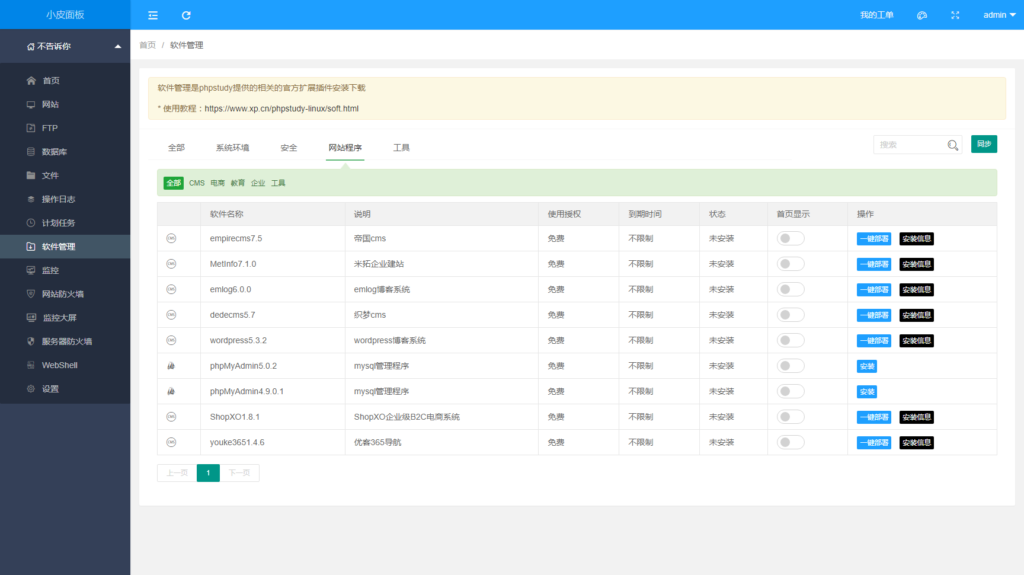
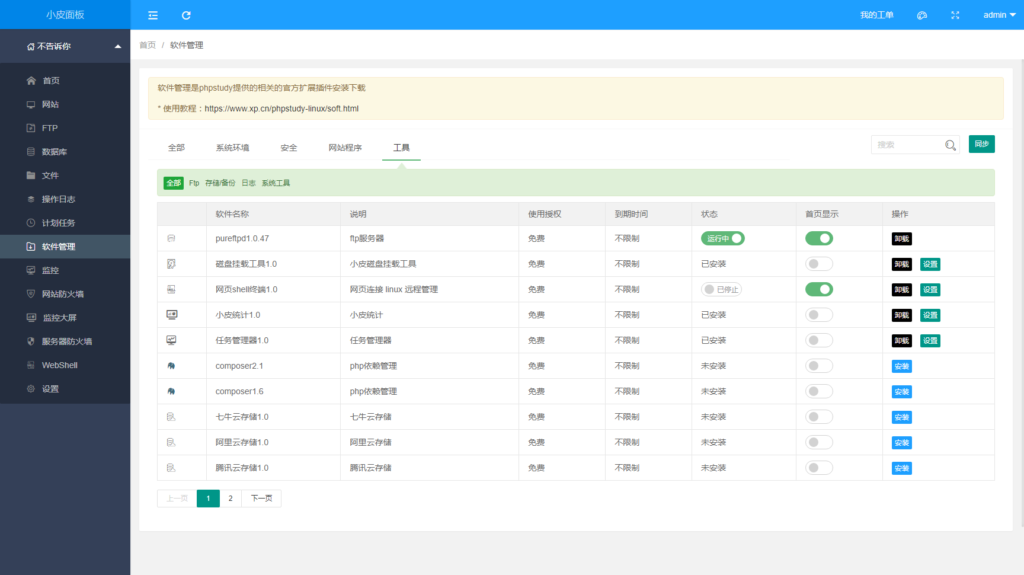
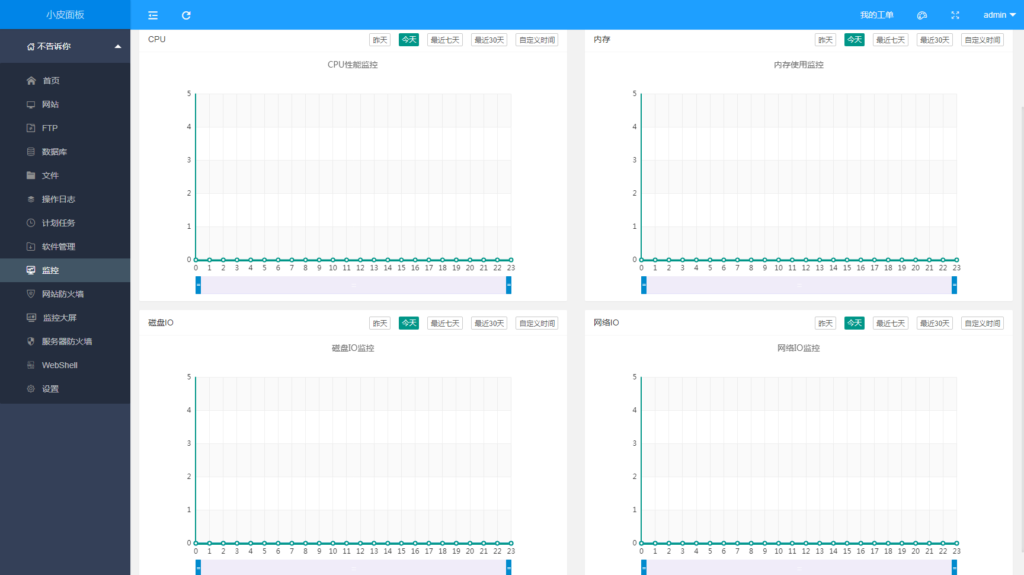
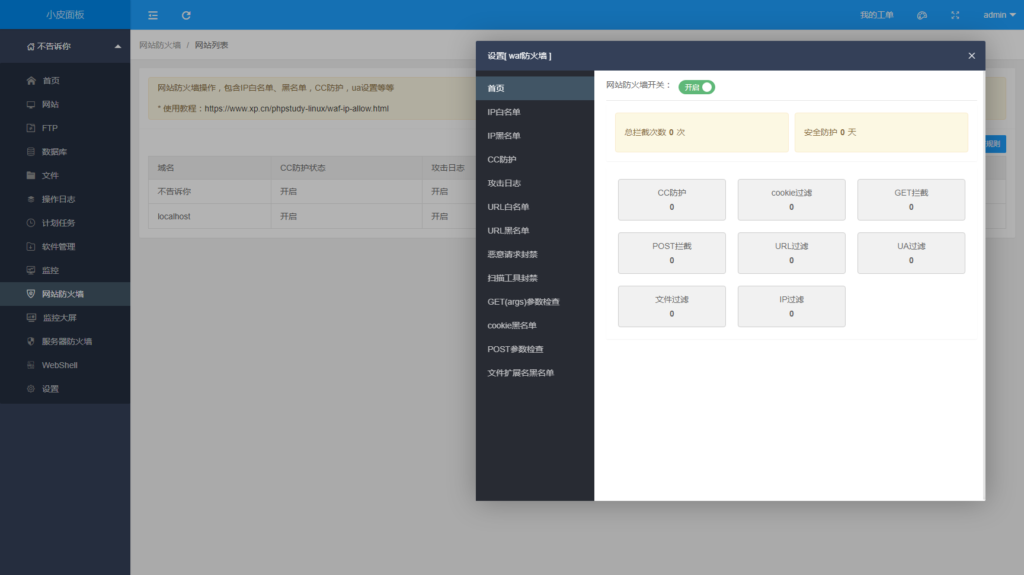
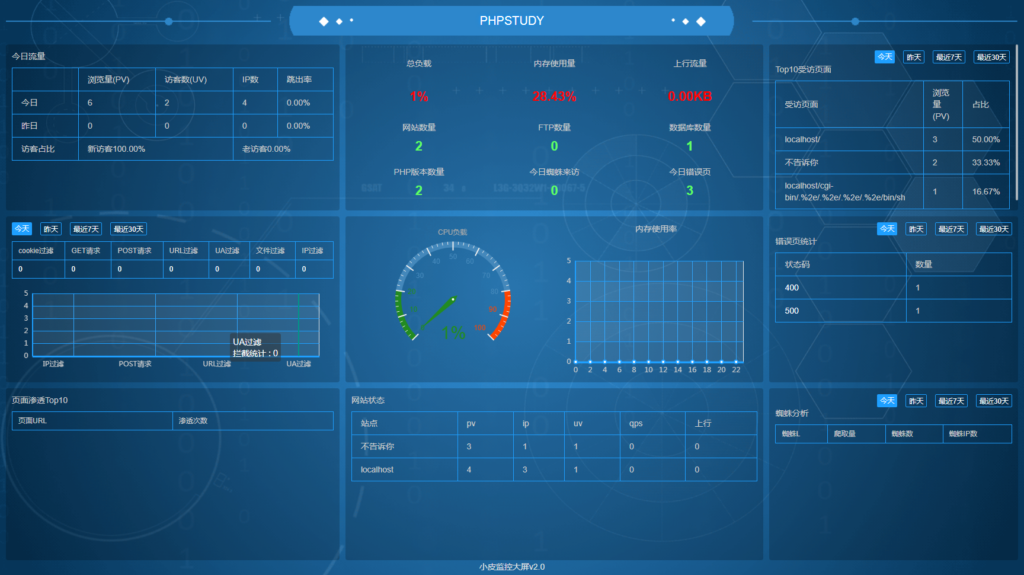
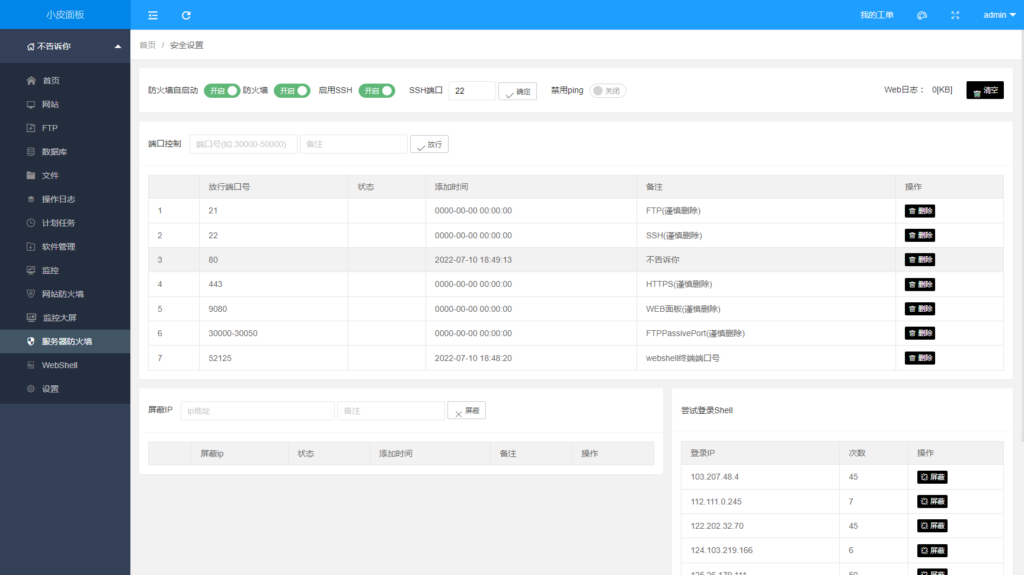
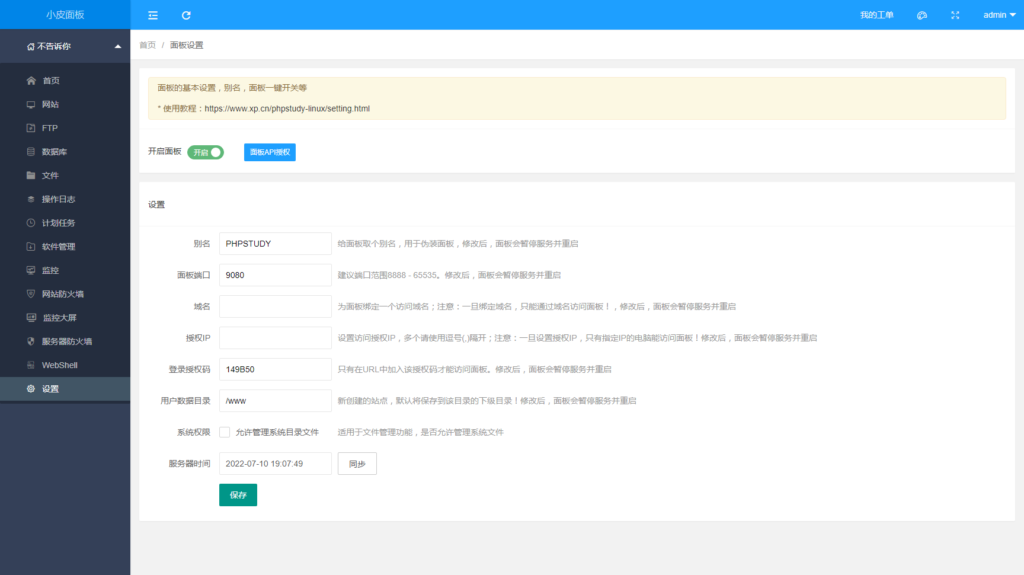
小皮面板(for linux)是由phpstudy团队针对Linux服务器推出的一款环境搭建以及管理工具,可通过Web端轻松管理服务器,提升运维效率。例如:创建管理网站、FTP、数据库,文件管理、安全、防火墙、监控、计划任务、日志、三方知名程序、工具、扩展插件等。

官网地址:https://www.xp.cn/
操作系统:全新系统(支持CentOS、Ubuntu、Debian、Fedora、Deepin)等
请确保您的系统是纯静的,未安装任何环境中涉及到的(Apache\Nginx\php\MySQL\FTP)
phpstudy for linux 采用为Docker核心而开发,故此建议使用centos7.xx 系统版本
内存要求:内存要求最低512MB,推荐768MB以上,纯面板约占系统60MB内存
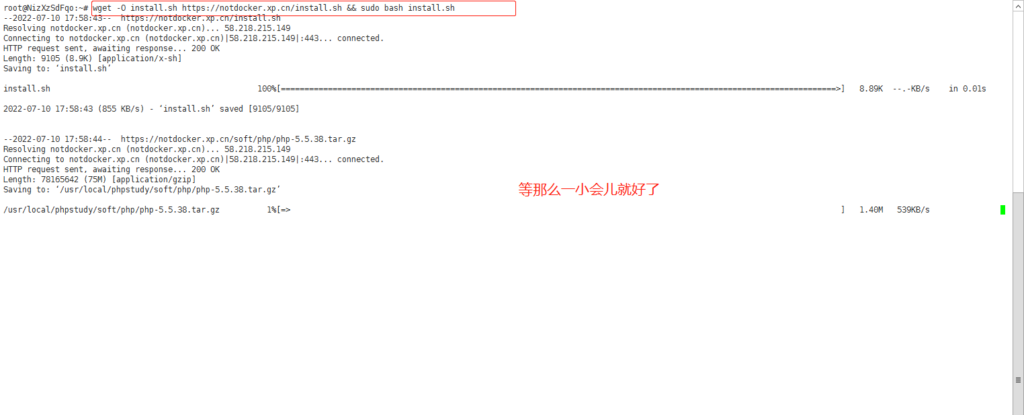
使用 SSH 连接工具 连接到您的 Linux服务器后,根据系统执行相应命令开始安装(大约2分钟完成面板安装):
Centos安装脚本 yum install -y wget && wget -O install.sh https://notdocker.xp.cn/install.sh && sh install.sh
Ubuntu安装脚本 wget -O install.sh https://notdocker.xp.cn/install.sh && sudo bash install.sh
Deepin安装脚本 wget -O install.sh https://notdocker.xp.cn/install.sh && sudo bash install.sh
Debian安装脚本 wget -O install.sh https://notdocker.xp.cn/install.sh && sudo bash install.sh
Fedora安装脚本 内测中...
Centos安装脚本 yum install -y wget && wget -O install.sh https://download.xp.cn/install.sh && sh install.sh
Ubuntu安装脚本 wget -O install.sh https://download.xp.cn/install.sh && sudo bash install.sh
Deepin安装脚本 wget -O install.sh https://download.xp.cn/install.sh && sudo bash install.sh
Debian安装脚本 wget -O install.sh https://download.xp.cn/install.sh && sudo bash install.sh
Fedora安装脚本 内测中...
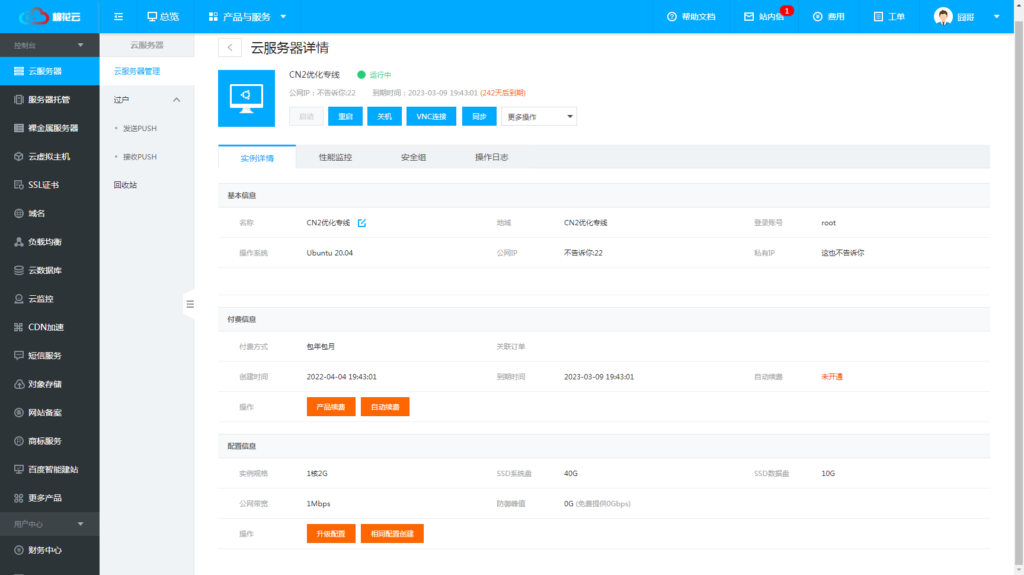
本次使用香港机型配置如下,感谢棉花云提供

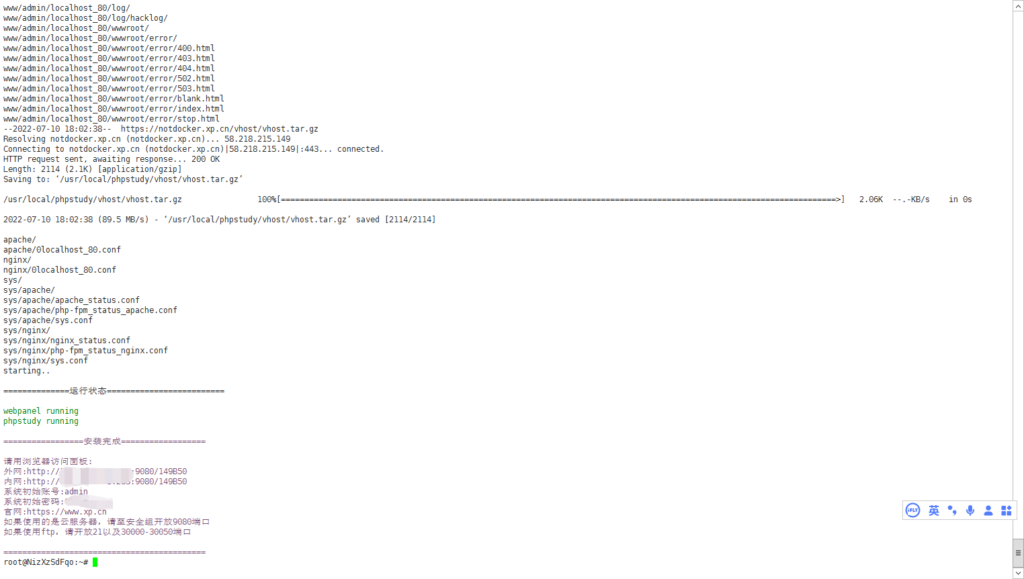
因为我使用的机子是Ubuntu系统,所以我粘贴的是Ubuntu系统的命令,回车就好,耐心等待安装(非Docker版)

安装完成
很快就安装完毕了,毕竟就一个面板嘛,我们可以看到,安装完毕后,最下面给我们了面板地址(外网)+用户名+默认密码

这里注意最下面有两段话
如果使用的是云服务器,请至安全组开放9080端口
如果使用ftp,请开放21以及30000-30050端口
啥意思呢,就是你如果用的大厂服务器,例如:腾讯云,阿里云,华为云等等这些云服务器,你得先在安全组里加9080这个端口,不然进不去面板!


做个简单的总结,小皮面板就像他的宣传语一样“让天下没有难配的php环境,永久公益免费!”,Linux的面板看着宝里塔气,但又不会有让你掏钱的地方,囧哥觉得,个人也可以放点小项目,或者当测试环境的面板使用,这只是一篇简简单单的”开箱文章“,聊囧(LiaoJiong.Com)后续会有更多精美的文章呈现给大家,希望各位站长喜欢,有不妥之处可在评论区提出您宝贵的意见。
![[AMH面板] AMH-7.0面板软件mcrypt-1.0(v5)发布。 [AMH面板] AMH-7.0面板软件mcrypt-1.0(v5)发布。](https://liaojiong.com/wp-content/uploads/2022/07/1657883450-d-os.gif)
软件名称:mcrypt-1.0
软件分类:应用软件
软件类别:环境扩展程序
版本号:1.0
mcrypt-1.0软件介绍
引用:
更新升级至mcrypt-1.0.5版本,兼容到最新的php-8.1版本,简化安装扩展脚本,与简化命令行运行。Mcrypt_Mhash_libmcrypt 功能强大的加密算法扩展库,可以实现加密解密,包括有22种算法,其中就包括下面的几种算法:Blowfish RC2 Safer-sk64 xtea Cast-256 RC4 Safer-sk128 DES RC4-iv Serpent Enigma Rijndael-128 Threeway Gost Rijndael-192 TripleDES LOKI97 Rijndael-256 Twofish PanamaSaferplus Wake
[/alert]发布时间:2022-07-07
![[AMH面板] AMH-7.0面板软件image_magick-7.1(v39)发布。](https://liaojiong.com/wp-content/uploads/2022/07/1657441234-image_magick.gif)
软件名称:image_magick-7.1
软件分类:应用软件
软件类别:环境扩展程序
版本号:7.1
image_magick-7.1软件介绍

引用:
更新升级至image_magick-7.1.0-39版本,与更新webp扩展支持问题。安装路径为/usr/local/image_magick-7.1/bin 当前版本为7.1.0。ImageMagick是一套功能强大、稳定而且开源的工具集和开发包,可以用来读、写和处理超过89种基本格式的图片文件,包括流行的TIFF、JPEG、GIF、 PNG、PDF以及PhotoCD等格式。
[/alert]发布时间:2022-07-03
![[AMH面板] AMH-7.0面板软件amupstream-1.1发布。](https://liaojiong.com/wp-content/uploads/2022/07/1657441057-amupstream.gif)
软件名称:amupstream-1.1
软件分类:应用软件
软件类别:WEB应用程序
版本号:1.1
amupstream-1.1软件介绍

引用:
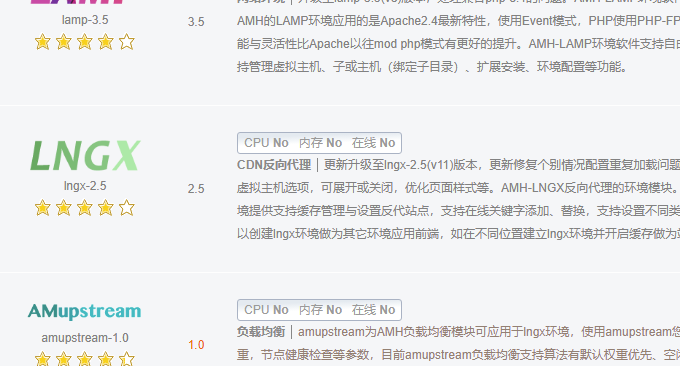
更新升级至amupstream-1.1版本,更新兼容php8.1版本,优化安装与创建环境脚本,修复个别情况创建节点重复加载配置问题,优化mysql命令,简化命令行运行等。amupstream为AMH负载均衡模块可应用于lngx环境,使用amupstream您可以添加负载均衡服务、可添加管理负载节点,设置权重,节点健康检查等参数,目前amupstream负载均衡支持算法有默认权重优先、空闲节点优先、用户IP、用户Cookie标识匹配等多种方式,使用cookie匹配可有效解决同网络、CDN用户session维持问题,保持用户登录会话状态。
[/alert]发布时间:2022-06-27